Works on: Windows 10 | Windows 8.1 | Windows 8 | Windows 7 | Windows XP | Windows 2000 | Windows 2003 | Windows 2008 | Windows 98 | Windows ME | Windows NT | Windows 95 | Windows Vista | Windows 2012 SHA1 Hash: f458a35dd5fe7961e58dce8fee494c123d2f981c Size: 10.23 MB File Format: exe
Rating: 2.1
out of 5
based on 23 user ratings
Publisher Website: External Link Downloads: 245 License: Demo / Trial Version
3DS Import for Pro/ENGINEER is a demo software by SYCODE and works on Windows 10, Windows 8.1, Windows 8, Windows 7, Windows XP, Windows 2000, Windows 2003, Windows 2008, Windows 98, Windows ME, Windows NT, Windows 95, Windows Vista, Windows 2012.
You can download 3DS Import for Pro/ENGINEER which is 10.23 MB in size and belongs to the software category WEB Design. 3DS Import for Pro/ENGINEER was released on 2009-11-12 and last updated on our database on 2017-04-22 and is currently at version 1.
Thank you for downloading from SoftPaz! Your download should start any moment now. It would be great if you could rate and share:
Rate this software:
Share in your network:
3DS Import for Pro/ENGINEER Description
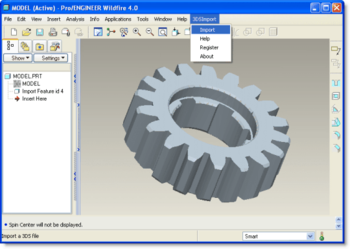
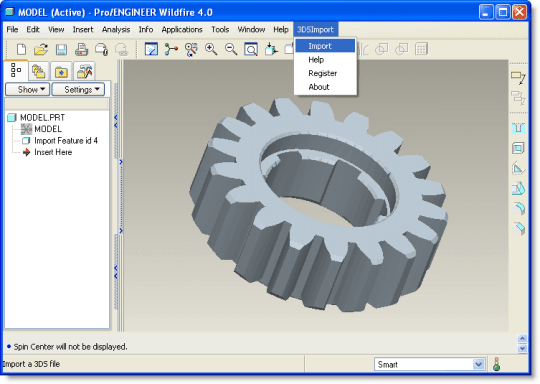
3DS Import for Pro/ENGINEER is a 3D Studio (.3ds) file import plug-in for Pro/ENGINEER Wildfire. This plug-in gives Pro/ENGINEER Wildfire the ability to import geometric data from 3DS files.3DS Import for Pro/ENGINEER reads polygon mesh data stored in 3DS files and imports it into Pro/ENGINEER Wildfire. A polygon mesh in a 3DS file is comprised of a set of triangular faces. 3DS Import for Pro/ENGINEER creates trimmed planar surfaces for each triangular face and knits them together to create a body. If the polygon mesh is closed (i.e. it does not contain boundary edges) then 3DS Import for Pro/ENGINEER will create a closed body feature, otherwise an open surface will be created.3DS Import for Pro/ENGINEER is very easy to use. Once installed, it must be loaded into the Pro/ENGINEER Wildfire environment. Follow the simple instructions in the ReadMe document which can be found in the installation folder. Once loaded, it adds new commands to Pro/ENGINEER Wildfire and a submenu called "3DSImport" to the Pro/ENGINEER menu. The 3DSImport menu consists of the following commands: * Import - Imports a 3DS file * Help - Displays the 3DS Import for Pro/ENGINEER help file * Register - Registers your copy of 3DS Import for Pro/ENGINEER * About - Displays the 3DS Import for Pro/ENGINEER About box
Where to buy?
Last updated price and discount information 9 years agoupdate now



 Windows 95 and above
 View Screenshots(1)
 Comments
 Download





 Similar Software


 Recently Searched
 Software Categories
 Trending Software


 Like Us
