Version: 3 Last Updated: 23 Apr 2017 Release: 14 Nov 2011 Category: Multimedia > Video
Rate this software:
216 downloads
View Screenshots(1)
Comments
Download
Liked it? Tell others:
4Media YouTube to iPad Converter Details
Works on: Windows 10 | Windows 8.1 | Windows 8 | Windows 7 | Windows XP | Windows 2000 | Windows 2003 | Windows 2008 | Windows Vista | Windows 2012 SHA1 Hash: 0b7b2a1f33049ea6aba6b029200276a1bbe98d37 Size: 22.96 MB File Format: exe
Rating: 1.8
out of 5
based on 23 user ratings
Publisher Website: External Link Downloads: 216 License: Demo / Trial Version
4Media YouTube to iPad Converter is a demo software by 4Media Software Studio and works on Windows 10, Windows 8.1, Windows 8, Windows 7, Windows XP, Windows 2000, Windows 2003, Windows 2008, Windows Vista, Windows 2012.
You can download 4Media YouTube to iPad Converter which is 22.96 MB in size and belongs to the software category Video. 4Media YouTube to iPad Converter was released on 2011-11-14 and last updated on our database on 2017-04-23 and is currently at version 3.
Thank you for downloading from SoftPaz! Your download should start any moment now. It would be great if you could rate and share:
Rate this software:
Share in your network:
4Media YouTube to iPad Converter Description
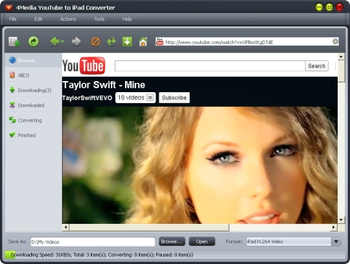
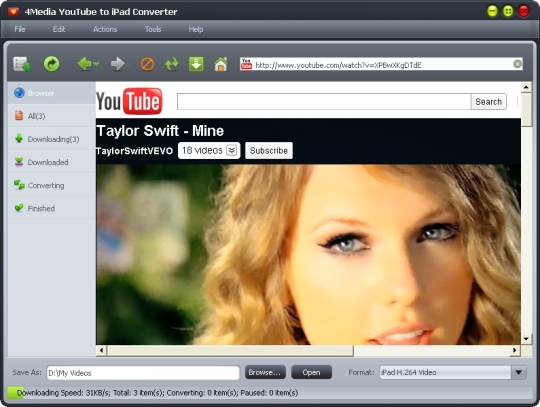
4Media YouTube to iPad Converter is an ideal tool to help you download and convert YouTube videos to iPad videos in one-step with rapid speed. It downloads and converts YouTube videos to iPad videos in format such as 720p H.264 HD video, H.264 video and MPEG4. You can also convert FLV files on your computer to iPad videos as well as extract favorite audios from YouTube videos and convert them to iPad music for enjoying on iPad. New features: Better support for YouTube. Features 1.Download and convert YouTube videos to iPad videos in format of 720p H.264 HD video, H.264 video or MPEG4 in single-step. 2.Extract audios from YouTube videos and convert them. 3.4Media YouTube to iPad Converter is also a converter which converts FLV files on your computer to iPad videos. 4.You can download/convert multiple videos at the same time according to your real need. 5.Batch downloading/converting tasks proceed in superior high speed thanks to the multi-thread processing. 6.The built-in YouTube video browser lists YouTube videos by different categories for easy-search. You can download videos from YouTube video browser directly. 7.Except downloading YouTube videos from YouTube video browser, two more methods are offered: right click on the YouTube video and use 4Media YouTube to iPad Converter to download and convert or just drag videos to window of the application to initiate downloading/converting. 8.You can configure Proxy Server according to the real situation of your network to raise up the wire speed. 9.Exit, hibernate, shutdown, standby or no action after downloading/converting tasks finished to save you from waiting all the time. 10.English, German, Spanish, French, Japanese, Simplified and Traditional Chinese interface languages are available in 4Media YouTube to iPad Converter.
Whats new in this version:
fix the bugs
Where to buy?
Last updated price and discount information 9 years agoupdate now



 Windows XP and above
 View Screenshots(1)
 Comments
 Download





 Similar Software


 Recently Searched
 Software Categories
 Trending Software

 Like Us

