Works on: Windows 10 | Windows 8.1 | Windows 8 | Windows 7 | Windows XP | Windows 2000 | Windows 2003 | Windows 2008 | Windows Vista | Windows 2012 SHA1 Hash: e597f5383c9def08f8f4775ef6ece2e0e94da734 Size: 4.41 MB File Format: exe
Rating: 2.4
out of 5
based on 23 user ratings
Publisher Website: External Link Downloads: 236 License: Demo / Trial Version
A-PDF to Excel is a demo software by A-PDF and works on Windows 10, Windows 8.1, Windows 8, Windows 7, Windows XP, Windows 2000, Windows 2003, Windows 2008, Windows Vista, Windows 2012.
You can download A-PDF to Excel which is 4.41 MB in size and belongs to the software category Business. A-PDF to Excel was released on 2011-12-05 and last updated on our database on 2017-04-23 and is currently at version 3.6.
Thank you for downloading from SoftPaz! Your download should start any moment now. It would be great if you could rate and share:
Rate this software:
Share in your network:
A-PDF to Excel Description
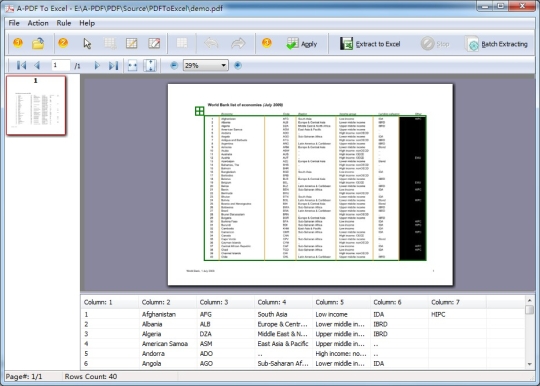
A-PDF to Excel is a fast, affordable way to batch extract and convert almost any PDF data (such as Invoice, Bank statement, Price list, inventory list. Etc...) to highly-editable Microsoft Excel document or CSV file format in several minutes. A-PDF to Excel is particularly useful to people who received a lot of invoice (PDF format), who need to batch extract the PDF data and save it to excel and retain the original rows and columns in original PDF.
Where to buy?
Last updated price and discount information 9 years agoupdate now



 View Screenshots(1)
 Comments
 Download





 Similar Software


 Recently Searched
 Software Categories
 Trending Software
 Like Us

 Windows 2000 and above


