Works on: Windows 10 | Windows 8.1 | Windows 8 | Windows 7 | Windows XP | Windows 2000 | Windows 2003 | Windows 2008 | Windows Vista | Windows 2012 SHA1 Hash: 93602a995741d76c5001e7d51b2faa58450950a1 Size: 2.97 MB File Format: exe
Rating: 2.0
out of 5
based on 23 user ratings
Publisher Website: External Link Downloads: 1036 License: Demo / Trial Version
ABarcode for Access is a demo software by ABarCode Software and works on Windows 10, Windows 8.1, Windows 8, Windows 7, Windows XP, Windows 2000, Windows 2003, Windows 2008, Windows Vista, Windows 2012.
You can download ABarcode for Access which is 2.97 MB in size and belongs to the software category Coding languages and Compilers. ABarcode for Access was released on 2010-12-06 and last updated on our database on 2017-04-22 and is currently at version 10.2.
Thank you for downloading from SoftPaz! Your download should start any moment now. It would be great if you could rate and share:
Rate this software:
Share in your network:
ABarcode for Access Description
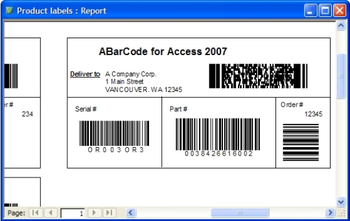
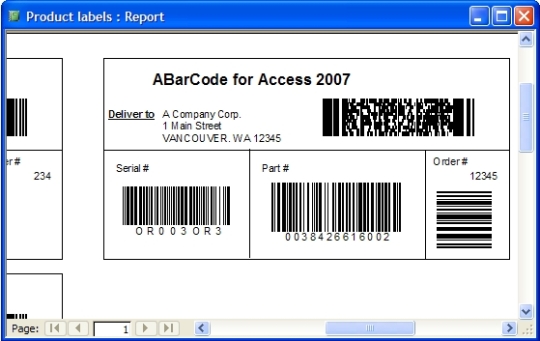
ABarCode is a MS Access add-in that allows you to convert any information in Access reports into bar code symbols. Available bar code types are EAN-8, EAN-13, UCC/EAN-128, Code 11, Code 128, Code 39, Code 93, Codabar, UPC-A, UPC-E, Interleaved 2 of 5, Postnet, PDF417 and Code 16K. You may print several bar codes of several types in any reports section and subreports. Check digits and start/stop codes are automatically computed and added. Symbols may be horizontal or vertical oriented, either fixed or automatically scaled filling a Text Box area. You only have to design a report, add text boxes containing the information you want to barcode, open the ABarCode add-in, add these text boxes to Barcode fields, and select the type of bar codes you want. You will find more information about the available types and its characteristics in the ABarCode help file. ABarCode is available for Access 97, Access 2000, Access 2002, Access 2003, Access 2007, and Access 2010.
Where to buy?
Last updated price and discount information 9 years agoupdate now



 Windows 2000 and above
 View Screenshots(1)
 Comments
 Download





 Similar Software


 Recently Searched
 Software Categories
 Trending Software


 Like Us


