Works on: Windows 10 | Windows 8.1 | Windows 8 | Windows 7 | Windows XP | Windows 2000 | Windows 2003 | Windows 2008 | Windows Vista | Windows 2012 SHA1 Hash: e6f1f71c1e1d7f14cd6a221729197370cf53616e Size: 18.27 MB File Format: exe
Rating: 2.2
out of 5
based on 23 user ratings
Publisher Website: External Link Downloads: 268 License: Demo / Trial Version
Abex Excel to All Converter is a demo software by Abexsoft and works on Windows 10, Windows 8.1, Windows 8, Windows 7, Windows XP, Windows 2000, Windows 2003, Windows 2008, Windows Vista, Windows 2012.
You can download Abex Excel to All Converter which is 18.27 MB in size and belongs to the software category Business. Abex Excel to All Converter was released on 2012-10-18 and last updated on our database on 2017-04-24 and is currently at version 3.2.
Thank you for downloading from SoftPaz! Your download should start any moment now. It would be great if you could rate and share:
Rate this software:
Share in your network:
Abex Excel to All Converter Description
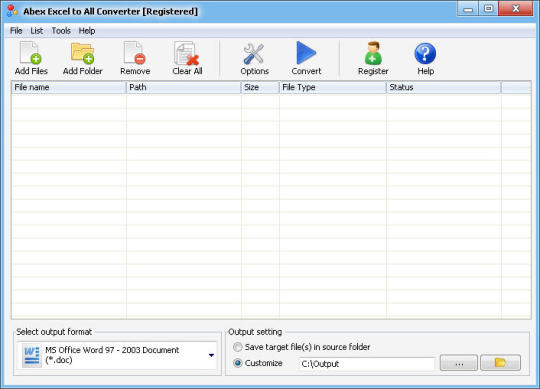
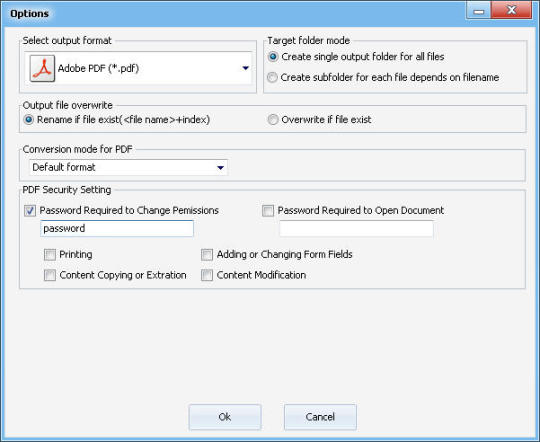
Abex Excel to All Converter is a convenient and simple tool for converting Office Excel Workbook (XLS, XLSX, XLSM) to Word (DOC, DOCX, DOCM), RTF, PDF, PowerPoint (PPT, PPTX, PPTM, PPS, PPSX, PPSM), HTML, Text document and Image format such as JPEG, JPG, BMP, PNG, PSD, TIFF, GIF, WMF, WMF, JP2, J2K, PCX. For each format, it provides multiple useful options to control the conversion. In conversion to PDF, Adobe Acrobat and Reader NOT required. It will retain the original layouts of your source Excel Workbook. All MS Office versions are supported, including MS Office 2003, 2007 and 2010. Key Feature: Convert Excel (XLS, XLSX, XLSM) to PDF, Word (DOC, DOCX, DOCM), RTF, PowerPoint (PPT, PPTX, PPTM, PPS, PPSX, PPSM), HTML, Plain Text.Convert Excel to JPEG, JPG, BMP, PNG, TIFF, PSD, GIF, EMF, WMF, JP2, J2K and PCX image.Batch conversion supports processing dozens of Excel document files one time.You can add the entire folder and sub-folder to convert.You can drag and drop documents to be converted into Abex Excel to All Converter.Standalone software, Adobe Acrobat and Reader NOT required.Set password to encrypt and protect created PDF files.Set file permissions to restrict printing, copying, and future modifications for the created PDF document.Able to convert password protected Excel files.Retain the original layouts of your Excel workbook.Create high-quality image formats from MS Excel document.Support color depth and size settings for the created Image files.Option to set JPEG image quality.Option to convert Excel to multipage PowerPoint.Custom to set PowerPoint slide size and paper orientation.Custom width, height and frame rate for created SWF video.Adjust image width and height to adjust the SWF frame size automatically.Support rename output file if file exist or overwrite the file.Convert each file to separate directory within output folder.Option to preview output folder after conversion.
Where to buy?
Last updated price and discount information 9 years agoupdate now



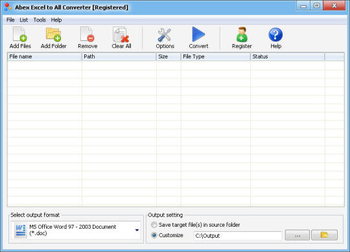
 View Screenshots(2)
 Comments
 Download





 Similar Software


 Recently Searched
 Software Categories
 Trending Software


 Like Us

 Windows 2000 and above