Works on: Windows 10 | Windows 8.1 | Windows 8 | Windows 7 | Windows XP | Windows 2000 | Windows 2003 | Windows 2008 | Windows Vista | Windows 2012 SHA1 Hash: 5a05b92a254f74df0ba1d53d41a6efc51d5526ad Size: 15.62 MB File Format: exe
Rating: 1.8
out of 5
based on 23 user ratings
Publisher Website: External Link Downloads: 116 License: Demo / Trial Version
AcroLexic is a demo software by Ait Acronym Finder and works on Windows 10, Windows 8.1, Windows 8, Windows 7, Windows XP, Windows 2000, Windows 2003, Windows 2008, Windows Vista, Windows 2012.
You can download AcroLexic which is 15.62 MB in size and belongs to the software category Home and Education. AcroLexic was released on 2007-03-07 and last updated on our database on 2017-02-19 and is currently at version 2.
Thank you for downloading from SoftPaz! Your download should start any moment now. It would be great if you could rate and share:
Rate this software:
Share in your network:
AcroLexic Description
AcroLexic is our recent development to assist you with your translation difficulties:
AcroLexic 2.0 — A dictionary of acronyms and abbreviations. Currently it contains
more than 70,000 terms with more than 150,000 definitions! This dictionary will be a valuable addition to your electronic bookshelf. It will relieve you from
the pain and stress of tediously searching through countless pages of dictionaries each time
you come across an unknown abbreviation.
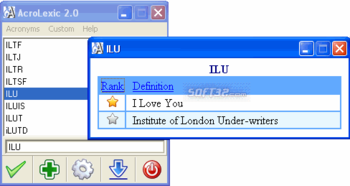
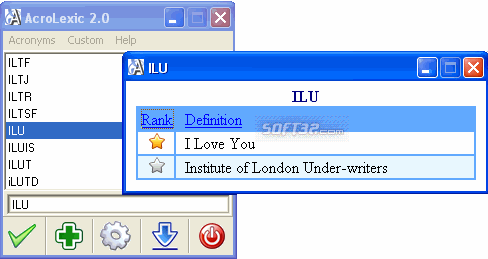
AcroLexic allows you to find acronyms' meaning fast and effectively. An incremental search starts by sorting out the database as soon as you type-in the first characters of the acronym (when you type the first letters all records starting with that string entered are displayed in the top of the list).
Quick search option allows you to find the definition of the selected acronym. You can select the acronym in any other software and press the hot key, which can be adjusted at the Settings window and the acronym's definitions will be instantly shown in the definition window.
Export and Import functions allow you to save your custom acronyms and their definitions into the file with .acro extension. This is very helpful feature, if you have the large list of custom acronyms and do not want to lose them.Or if want to share your custom acronyms with someone.
One more function of AcroLexic is that it allows you to see a total number of acronims and their definitions.
Where to buy?
Last updated price and discount information 9 years agoupdate now



 Windows XP and above
 View Screenshots(1)
 Comments
 Download





 Similar Software


 Recently Searched
 Software Categories
 Trending Software

 Like Us


