Version: 1.1 Last Updated: 15 Apr 2017 Release: 29 Mar 2011 Category: Programming
Rate this software:
122 downloads
View Screenshots(3)
Comments
Download
Liked it? Tell others:
ActiveFinish Express Edition Details
Works on: Windows 10 | Windows 8.1 | Windows 8 | Windows 7 | Windows XP | Windows 2000 | Windows 2003 | Windows 2008 | Windows Vista | Windows 2012 SHA1 Hash: ba7477460bf723d096ea52791a8d10e8d8d328c8 Size: 4 MB File Format: zip
Rating: 2.1
out of 5
based on 23 user ratings
Downloads: 122 License: Free
ActiveFinish Express Edition is a free software by Dioada Software and works on Windows 10, Windows 8.1, Windows 8, Windows 7, Windows XP, Windows 2000, Windows 2003, Windows 2008, Windows Vista, Windows 2012.
You can download ActiveFinish Express Edition which is 4 MB in size and belongs to the software category Programming. ActiveFinish Express Edition was released on 2011-03-29 and last updated on our database on 2017-04-15 and is currently at version 1.1.
Thank you for downloading from SoftPaz! Your download should start any moment now. It would be great if you could rate and share:
Rate this software:
Share in your network:
ActiveFinish Express Edition Description
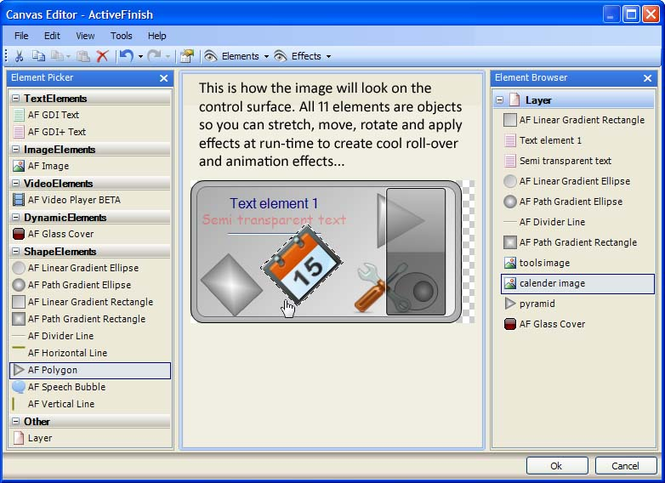
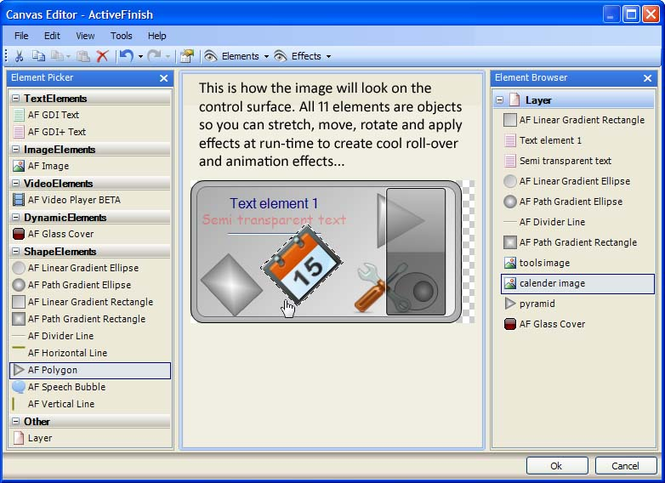
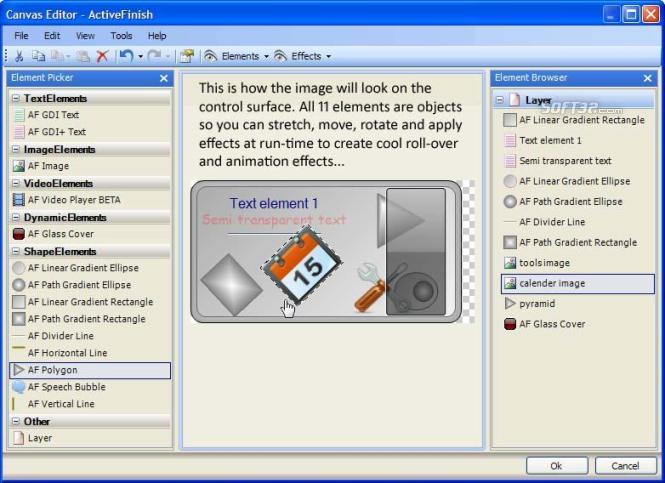
ActiveFinish allows you to design the surface of a .Net Winforms control without leaving the Visual Studio IDE. Add a gradient background, an image, maybe a couple of text elements and even a video. Position, rotate and stretch each element individually, or as a collective layer. Adjust the opacity, color balance, hue, emboss or add a drop-shadow. At run-time, use C# or VB.Net to adjust any element or effect property to create stunning animation and roll-over effects!
- Add an unlimited* number of Elements (Image, Text, Shape, Video, complex) to a .Net Windows Forms Control surface at design-time or run-time
- Position, size, rotate and edit the elements, using the mouse, in a familiar graphics editing app style editor, featuring unlimited undo/redo levels
- Group elements in a Layer and then position, size and rotate them together
- Apply an unlimited* number of effects to a Layer
- Adjust Element and Effect properties using easy to use controls, such as sliders, and see the changes as they are made
- All Elements and Effects are plugins so the framework is extensible
- Comes with 14 Element plugins, and 19 Effect plugins
- With the image element plugin, you can select from an image resource, image list or icon. Sounds familiar? However, with ActiveFinish, after selecting your icon you are presented with a list of available sizes and bit-depths to choose from!
- All elements that contain a color property, such as the path gradient rectangle, use our new color picker with alpha channel adjustment slider
- All Elements and Effects are objects, so their properties can be altered at run-time to create cool animation and run-time effects
(*Note, the free Express Edition has limitations. See the website for full details.)
There's no need to invest your time and money in WPF, Winforms has a second wind!



 Windows XP and above
 View Screenshots(3)
 Comments
 Download




 Similar Software


 Recently Searched
 Software Categories
 Trending Software
 Like Us


