Works on: Windows 10 | Windows 8.1 | Windows 8 | Windows 7 | Windows XP | Windows 2000 | Windows 2003 | Windows 2008 | Windows Vista | Windows 2012 SHA1 Hash: 23787a5e414c2173c54b5c23492c8730c07f7eb1 Size: 638.76 KB File Format: zip
Rating: 2.5
out of 5
based on 23 user ratings
Publisher Website: External Link Downloads: 238 License: Demo / Trial Version
Advanced Recent Access is a demo software by TriSun Software and works on Windows 10, Windows 8.1, Windows 8, Windows 7, Windows XP, Windows 2000, Windows 2003, Windows 2008, Windows Vista, Windows 2012.
You can download Advanced Recent Access which is 638.76 KB in size and belongs to the software category File Management. Advanced Recent Access was released on 2016-05-30 and last updated on our database on 2017-04-28 and is currently at version 4.
Thank you for downloading from SoftPaz! Your download should start any moment now. It would be great if you could rate and share:
Rate this software:
Share in your network:
Advanced Recent Access Description
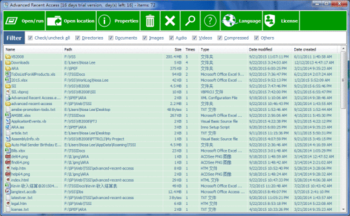
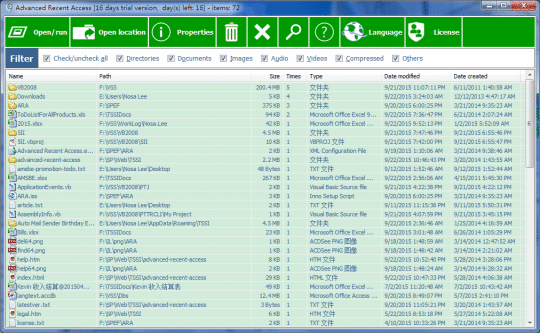
Advanced Recent Access is designed to see more properties of your recent used resources (files and directories). Key features: can see more properties of the recent resources, such as path, size, type, date modified and date created. Automatically record accessed times. Automatically delete the nonexistent recent resources. Can quickly filter the recent resources by their types, such as directories, documents, images, audio, videos, compressed and others. Can sort the recent resources by any above properties. Displays recent resources count. Automatically refresh recent resources list. Automatically remember the order and width of the columns, sorting column and order. Automatically remember the size and location of the main window. Can hide some columns that you do not want to see.
Where to buy?
Last updated price and discount information 9 years agoupdate now



 Windows XP and above
 View Screenshots(1)
 Comments
 Download





 Similar Software


 Recently Searched
 Software Categories
 Trending Software
 Like Us


