Version: 6.1 Last Updated: 25 Apr 2017 Release: 07 Jun 2013 Category: Internet > WEB Design
Rate this software:
1247 downloads
View Screenshots(1)
Comments
Download
Liked it? Tell others:
Ailt BMP to SWF Converter Details
Works on: Windows 10 | Windows 8.1 | Windows 8 | Windows 7 | Windows XP | Windows 2000 | Windows 2003 | Windows 2008 | Windows Vista | Windows 2012 SHA1 Hash: 9c99e41a9f3df2fe84ce61640d0187360219d72c Size: 3.8 MB File Format: exe
Rating: 2.4
out of 5
based on 23 user ratings
Publisher Website: External Link Downloads: 1247 License: Demo / Trial Version
Ailt BMP to SWF Converter is a demo software by Ailtware and works on Windows 10, Windows 8.1, Windows 8, Windows 7, Windows XP, Windows 2000, Windows 2003, Windows 2008, Windows Vista, Windows 2012.
You can download Ailt BMP to SWF Converter which is 3.8 MB in size and belongs to the software category WEB Design. Ailt BMP to SWF Converter was released on 2013-06-07 and last updated on our database on 2017-04-25 and is currently at version 6.1.
Thank you for downloading from SoftPaz! Your download should start any moment now. It would be great if you could rate and share:
Rate this software:
Share in your network:
Ailt BMP to SWF Converter Description
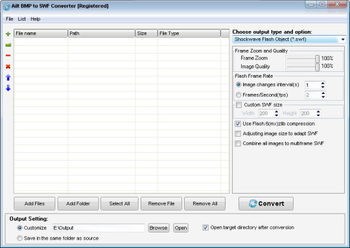
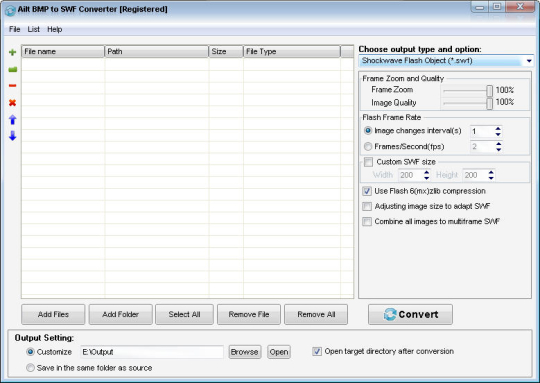
Ailt BMP to SWF Converter is a fast and easy converter which is designed to convert BMP files to SWF in batches. The output SWF quality is super high with preserving the original text, tables, image, layout of your BMP images. User-friendly interface is very easy to use without any learning curve. Merely a few clicks can finish the conversion. It features provides user-friendly interface, supports multiple BMP image files conversion (Batch Processing), supports to add files by dragging and dropping, supports to save and load the converted file list, supports to choose the entire folder to convert, supports to customize SWF frames rate, supports to customize SWF frame quality and frame size, supports to adjust BMP image size to adapt SWF files, supports to combine all BMP images to multi frame SWF file, supports Flash6 format compression to compress the output SWF file size, supports to choose the storage path, supports saving output files in the same folder as source files, and supports to automatically open the output folder after converted.
Where to buy?
Last updated price and discount information 9 years agoupdate now



 Windows 2000 and above
 View Screenshots(1)
 Comments
 Download





 Similar Software


 Recently Searched
 Software Categories
 Trending Software


 Like Us

