Version: 2.2 Last Updated: 16 Feb 2017 Release: 10 Feb 2011 Category: CD DVD Blu-ray Tools
Rate this software:
224 downloads
View Screenshots(1)
Comments
Download
Liked it? Tell others:
Aimersoft MOV Converter Details
Works on: Windows 10 | Windows 8.1 | Windows 8 | Windows 7 | Windows 2012 SHA1 Hash: 157878d3d7605dd888497aa1e7ebabb46668f689 Size: 6.76 MB File Format: exe
Rating: 1.9
out of 5
based on 23 user ratings
Publisher Website: External Link Downloads: 224 License: Demo / Trial Version
Aimersoft MOV Converter is a demo software by Aimersoft Studio and works on Windows 10, Windows 8.1, Windows 8, Windows 7, Windows 2012.
You can download Aimersoft MOV Converter which is 6.76 MB in size and belongs to the software category CD DVD Blu-ray Tools. Aimersoft MOV Converter was released on 2011-02-10 and last updated on our database on 2017-02-16 and is currently at version 2.2.
Thank you for downloading from SoftPaz! Your download should start any moment now. It would be great if you could rate and share:
Rate this software:
Share in your network:
Aimersoft MOV Converter Description
Aimersoft MOV Converter is not noly a professional AVI to MOV converter that can convert AVI to MOV format but also can convert WMV to MOV, MPEG to MOV, FLV to MOV, etc.
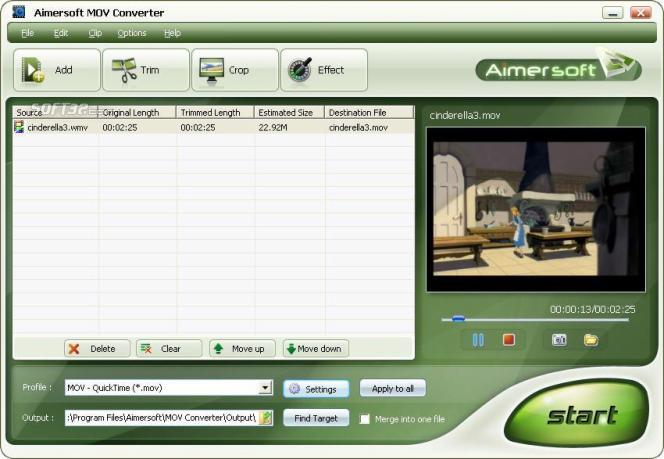
Aimersoft MOV Converter provides you with a wide variety of editing functions, such as video cropping, movie trimming, video effect adjustment, aspect ratio selection and so forth. This MOV Converter is also complete with encoding parameter settings to set the resolution, bit rate, frame rate, aspect ratio for you to get the best video and audio quality.
Key Features:
1. Support all kinds of video formats
Aimersoft MOV converter can convert all popular video formats including AVI to MOV, MPEG to MOV, DAT to MOV, MP4 to MOV, RM to MOV, RMVB to MOV, ASF to MOV, FLV to MOV, 3GP to MOV, WMV to MOV format.
2. Powerful editing function
Aimersoft MOV Converter supports video cropping and movie trimming. Allow you to cut off the undesired area from your movie video and capture your favorite clips to convert. Aimersoft MOV Converter allows you to adjust brightness, contrast, saturation, etc.
3. Support batch conversion and customizing video profile
You need not click time and time again for setting as once you save your individual setting as profile, make your conversion much easier.
4. Support various output video aspect ratios
Support various output video aspect ratios including 16:9, 4:3 and full screen.
5. Capture pictures and automatically shut down computer
Capture your favorite pictures from your video files.
Automatically shut down your computer after conversion.
6. Easy to use and great stabilization
Very intuitive and easy to use interface. Support Windows Vista with great stabilization.
Where to buy?
Last updated price and discount information 9 years agoupdate now



 Windows 7 and above
 View Screenshots(1)
 Comments
 Download





 Similar Software


 Recently Searched
 Software Categories
 Trending Software


 Like Us

