Version: 1.1 Last Updated: 16 Feb 2017 Release: 16 Apr 2004 Category: Programming
Rate this software:
114 downloads
View Screenshots(1)
Comments
Download
Liked it? Tell others:
axExplorerBar Details
Works on: Windows 10 | Windows 8.1 | Windows 8 | Windows 7 | Windows XP | Windows 2000 | Windows 2003 | Windows 2008 | Windows Vista | Windows 2012 SHA1 Hash: 9b323ddd6a8248ad59bf5acb21359177355bd99e Size: 8.27 KB File Format: exe
Rating: 1.9
out of 5
based on 23 user ratings
Downloads: 114 License: Demo / Trial Version
axExplorerBar is a demo software by R.m. De Boer Software and works on Windows 10, Windows 8.1, Windows 8, Windows 7, Windows XP, Windows 2000, Windows 2003, Windows 2008, Windows Vista, Windows 2012.
You can download axExplorerBar which is 8.27 KB in size and belongs to the software category Programming. axExplorerBar was released on 2004-04-16 and last updated on our database on 2017-02-16 and is currently at version 1.1.
Thank you for downloading from SoftPaz! Your download should start any moment now. It would be great if you could rate and share:
Rate this software:
Share in your network:
axExplorerBar Description
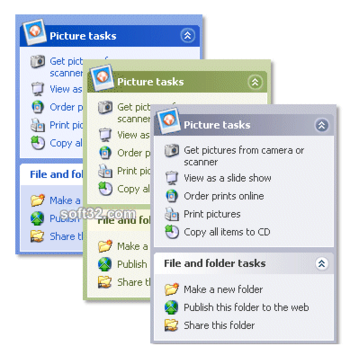
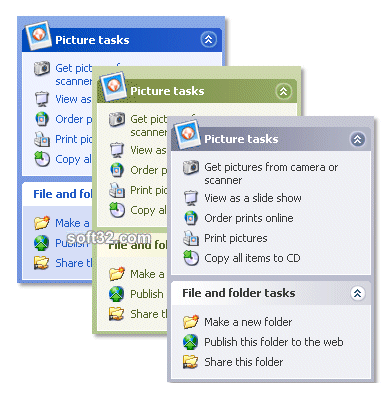
axExplorerBar is based on the 'Taskbar' navigation menu bar introduced in Windows XP. An ExplorerBar provides a visually attractive and versatile way to present a grouped list of options. Common usage scenarios would include providing access to multiple areas of an application or presenting multiple 'pages' of information. An ExplorerBar is a visually appealing, modern looking alternative to an 'Outlook Bar' or 'Tab Strip' control, particularly where there are several logical groups of options to display, as the ExplorerBar can show many groups at once whilst still making effective use of screen space.
Features:
- Windows XP Themes: Full support for Windows XP Visual Themes, rendering the look and feel of the ExplorerBar according to the active theme. Theme support can be disabled or overriden if required.
- Background: The ExplorerBar background or any Group background can be Theme controlled, solid or gradient filled, or show the contents of a custom picture. Additionally the Transparacy of the picture can be set between 0-255, and the alignment of the picture control within a group.
- Images: Images can be used in both group headers and group items. Group headers can have a custom header, to create a visual appealing ExplorerBar. Group items can also have images.
- Group Formatting: The text color, background color and background fill style of groups and group headers can be specified.
- Item Formatting: The color and formatting of items can be individually specified.
- Custom Control Items: ExplorerBar groups can host your own controls, for the maximum in flexibility.
- Full Keyboard Support: The ExplorerBar fully supports keyboard navigation, including navigation shortcuts
- Custom headers: Create your own custom headers for each group. Any graphic can be loaded as a header in a group.
- Sounds: ExplorerBar has built in support for playing sounds for the Item hover, Collapse and Expand events. Sounds can be disabled, or customize
Where to buy?
Last updated price and discount information 6 years agoupdate now



 Windows XP and above
 View Screenshots(1)
 Comments
 Download





 Similar Software


 Recently Searched
 Software Categories
 Trending Software

 Like Us
