Version: 1.1 Last Updated: 22 Feb 2017 Release: 29 Mar 2011 Category: Business > Applications
Rate this software:
156 downloads
View Screenshots(2)
Comments
Download
Liked it? Tell others:
BACSE System Details
Works on: Windows 10 | Windows 8.1 | Windows 8 | Windows 7 | Windows XP | Windows 2000 | Windows 2003 | Windows 2008 | Windows Vista | Windows 2012 SHA1 Hash: ffddeb20db40acfc8f962b360816ba606071ef5e Size: 6.61 MB File Format: zip
Rating: 1.8
out of 5
based on 23 user ratings
Downloads: 156 License: Free
BACSE System is a free software by Bacse Systems and works on Windows 10, Windows 8.1, Windows 8, Windows 7, Windows XP, Windows 2000, Windows 2003, Windows 2008, Windows Vista, Windows 2012.
You can download BACSE System which is 6.61 MB in size and belongs to the software category Applications. BACSE System was released on 2011-03-29 and last updated on our database on 2017-02-22 and is currently at version 1.1.
Thank you for downloading from SoftPaz! Your download should start any moment now. It would be great if you could rate and share:
Rate this software:
Share in your network:
BACSE System Description
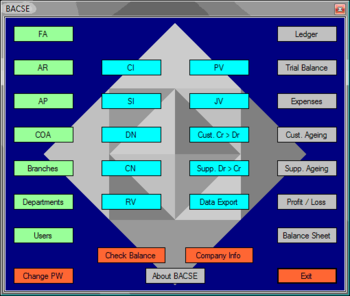
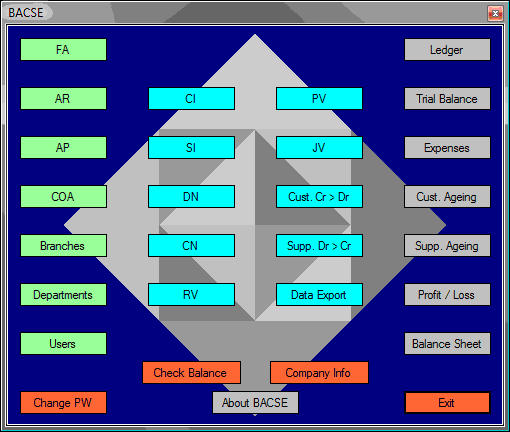
A Complete ERP solution that manages FA (Fixed Assets), AR (Accounts Receivable), AP (Accounts Payable), COA (Chart of Accounts), multi branch and multi department. Transactions including CI (Customer Invoice), SI (Supplier Invoice), DN (Debit Note), CN (Credit Note), RV (Receipt Voucher), PV (Payment Voucher) and JV (Journal Voucher), matching receipts and payments for customer invoices, supplier invoices, debit notes and credit notes. Data can be exported to a group of comma separated values files in one click. All transactions can be printed and filed. All standard accounting reports can be generated easily and quickly, reports include GL (General Ledger), TB (Trial Balance), Expenses, Customer and supplier Ageing, Profit/Loss and Balance Sheet. Fixed Assets management is simple and easy, the user enters the basic asset information (purchase date, price, and asset life in months, sale/disposal date and sale price), all relevant accounts and General Ledger entries are automatically generated, including monthly depreciation. The system provides the ability to print the assets list at any specific month end. Customer and supplier ageing are generated taking into consideration the customer/supplier credit period, customer receipts and credit notes are matched against invoices and debit notes, whereas supplier invoices and credit notes are matched against payments and debit notes. The system comes with a typical chart of accounts that the user can use as a starting point and add account groups and accounts as needed.



 Windows XP and above
 View Screenshots(2)
 Comments
 Download




 Similar Software


 Recently Searched
 Software Categories
 Trending Software


 Like Us

