Works on: Windows 10 | Windows 8.1 | Windows 8 | Windows 7 | Windows 2012 SHA1 Hash: 9fd2bf466556b0c93c5d2520e2d9a3b98633d011 Size: 549.73 KB File Format: exe
Rating: 2.3
out of 5
based on 23 user ratings
Publisher Website: External Link Downloads: 226 License: Demo / Trial Version
Best File Recovery is a demo software by Best Recover,Inc and works on Windows 10, Windows 8.1, Windows 8, Windows 7, Windows 2012.
You can download Best File Recovery which is 549.73 KB in size and belongs to the software category Backup and Recovery. Best File Recovery was released on 2010-07-15 and last updated on our database on 2017-02-27 and is currently at version 9.
Thank you for downloading from SoftPaz! Your download should start any moment now. It would be great if you could rate and share:
Rate this software:
Share in your network:
Best File Recovery Description
A virus is not the only threat to your files, or integrity of your PC. Hard disk drives can become corrupt, or who knows what can suddenly make your files disappear from a certain location. Luckily, developers came out with many different applications like Best File Recovery in an attempt to bring back files from beyond the Recycle Bin.
Easily pick source, and set process options
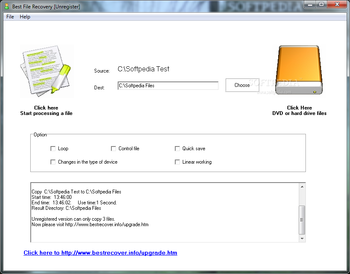
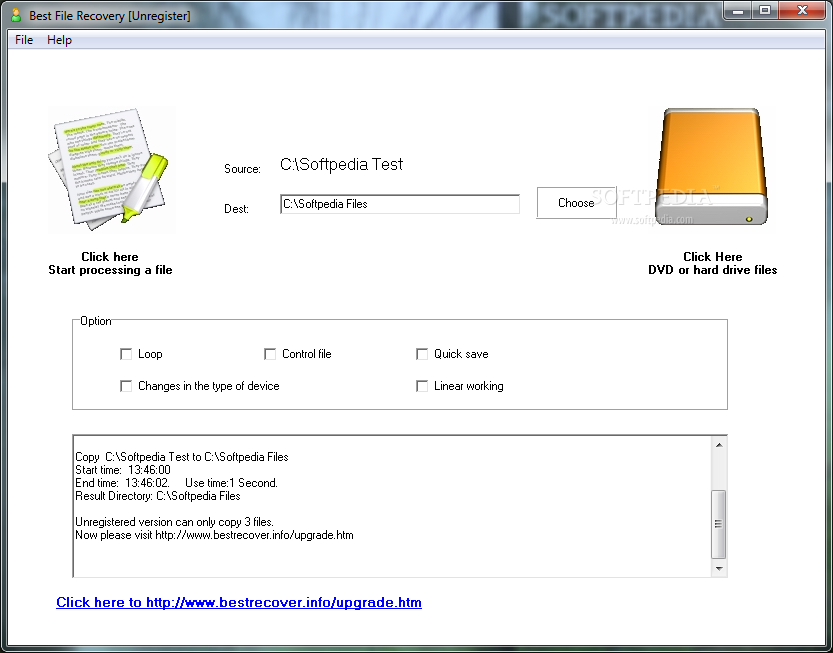
After a short and effortless setup process, you can go ahead to run the application to see what it’s all about. The main window is pretty clean, putting all functions and options in plain sight, letting anyone quickly accommodate, at least at a first look.
Sources can be almost anything that can store files, as well as a file of your choice. The set of options gives you the possibility to enable loop processing, control file, quick saving, linear working, and whether to run when changes are made in the type of device. A log window lets you view the whole process when put in motion.
Good, but far from being a pro
However, the application has a slightly different approach than your average recovery utility, in the sense that you don’t spend time in a scan process, and once selection is done, recovery automatically begins to the destination folder you specify.
As good as this may seem, it actually isn’t. First of all, the application reads everything it can, and it doesn’t matter whether or not some files are already accessible, because they’re recovered anyway. This means that the target drive needs to be empty for the process to efficiently read the drive sectors, and only attempt to recover removed files, and not simply copying something from one location to the other.
To end with
Taking everything into consideration, we can say that Best File Recovery isn’t quite the recovery method you expected to find. It only asks you to specify where to look, after which it forcefully tries to recover everything, without letting you choose first. What’s more, existing data isn’t excluded from the process, with a considerable impact on overall practicality.
Where to buy?
Last updated price and discount information 9 years agoupdate now



 Windows 7 and above
 View Screenshots(1)
 Comments
 Download





 Similar Software


 Recently Searched
 Software Categories
 Trending Software


 Like Us


