Version: 11.5 Last Updated: 25 Feb 2017 Release: 07 May 2013 Category: Programming > SDK DDK
Rate this software:
138 downloads
View Screenshots(3)
Comments
Download
Liked it? Tell others:
Celerity Details
Works on: Windows 10 | Windows 8.1 | Windows 8 | Windows 7 | Windows XP | Windows 2000 | Windows 2003 | Windows 2008 | Windows Vista | Windows 2012 SHA1 Hash: 9f401254fe2d1a4ff2bf3252f4ac0dae24e0adf6 Size: 2.16 MB File Format: zip
Rating: 2.4
out of 5
based on 23 user ratings
Publisher Website: External Link Downloads: 138 License: Demo / Trial Version
Celerity is a demo software by Integrech Software Solutions and works on Windows 10, Windows 8.1, Windows 8, Windows 7, Windows XP, Windows 2000, Windows 2003, Windows 2008, Windows Vista, Windows 2012.
You can download Celerity which is 2.16 MB in size and belongs to the software category SDK DDK. Celerity was released on 2013-05-07 and last updated on our database on 2017-02-25 and is currently at version 11.5.
Thank you for downloading from SoftPaz! Your download should start any moment now. It would be great if you could rate and share:
Rate this software:
Share in your network:
Celerity Description
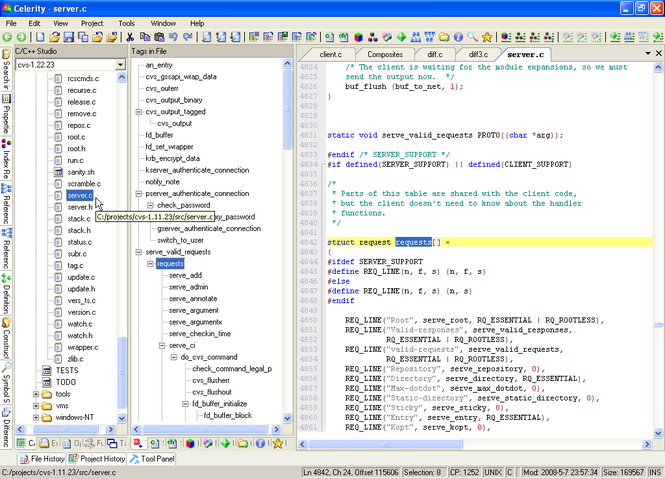
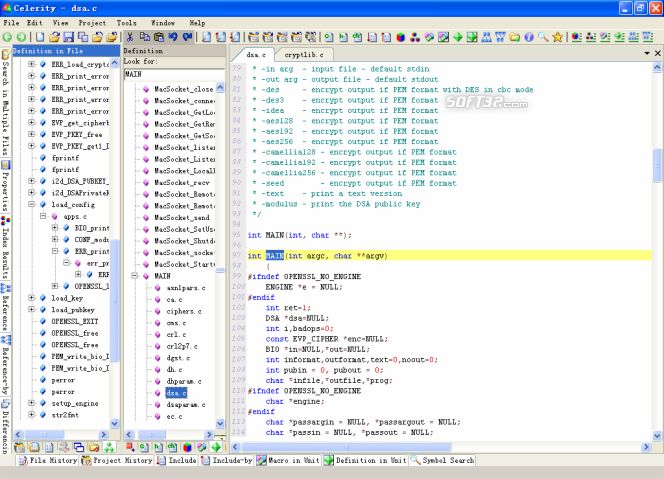
Celerity is a powerful application for analyzing C/C++ projects. It can process millions of source code lines. It supports standard C/C++ (and K&R style of sources as well). For each analyzed project, it produces a multifaceted cross-referenced database and shows source and include files, indexes of lexical elements, all macros, all definitions, expandable definitions in a file, references (function declarations and invocations), reference-by's, contents of per-directory definitions, construct hierarchy, diagnosis outputs, symbol searches, etc. Definitions and invocations could be expanded conveniently by just a single click. All these combined help a C/C++ developer to quickly read, review, understand, study and maintain a critical or large code base. It has a user-friendly interface with features like tabs, docking, auto-hiding, floating, drag and drop, etc. It allows the user to quickly locate each functional window and rearrange these windows in different layouts. It includes a versatile editor for text/hexadecimal files. Facilitative features include syntax styling, auto-indenting of new lines, auto-completion of words, and auto-formatting of the entire content for better readability. It also dynamically shows cascaded tags in a file. File formats could be defined to specify how to handle directives, colors, styles, etc. FTP files are handled as local files. It includes a studio for multiple projects with commands dealing with each project or all projects. Strong multiple-file find & replace functions enable the user to do quick searches within the background. It has a differencing module which can perform multiple file-to-file or directory-to-directory comparisons in a background manner.
Where to buy?
Last updated price and discount information 9 years agoupdate now



 Windows 2000 and above
 View Screenshots(3)
 Comments
 Download





 Similar Software


 Recently Searched
 Software Categories
 Trending Software


 Like Us


