Version: 2 Last Updated: 22 Apr 2017 Release: 03 Sep 2010 Category: Business
Rate this software:
216 downloads
View Screenshots(4)
Comments
Download
Liked it? Tell others:
ChartQuick Details
Works on: Windows 10 | Windows 8.1 | Windows 8 | Windows 7 | Windows XP | Windows 2000 | Windows 2003 | Windows 2008 | Windows Vista | Windows 2012 SHA1 Hash: b3c0bc8373893eeb461b2a48dd28eb3c6f49dbf2 Size: 2.94 MB File Format: msi
Rating: 1.9
out of 5
based on 23 user ratings
Publisher Website: External Link Downloads: 216 License: Demo / Trial Version
ChartQuick is a demo software by Versatile Solutions and works on Windows 10, Windows 8.1, Windows 8, Windows 7, Windows XP, Windows 2000, Windows 2003, Windows 2008, Windows Vista, Windows 2012.
You can download ChartQuick which is 2.94 MB in size and belongs to the software category Business. ChartQuick was released on 2010-09-03 and last updated on our database on 2017-04-22 and is currently at version 2.
Thank you for downloading from SoftPaz! Your download should start any moment now. It would be great if you could rate and share:
Rate this software:
Share in your network:
ChartQuick Description
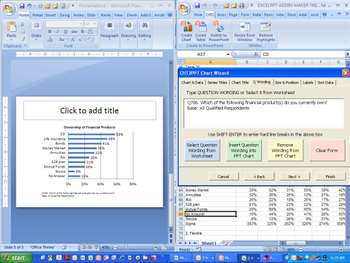
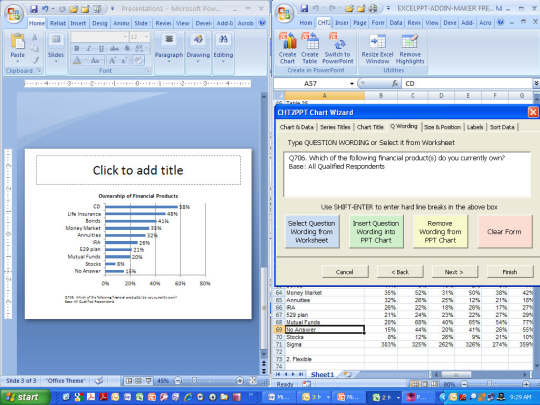
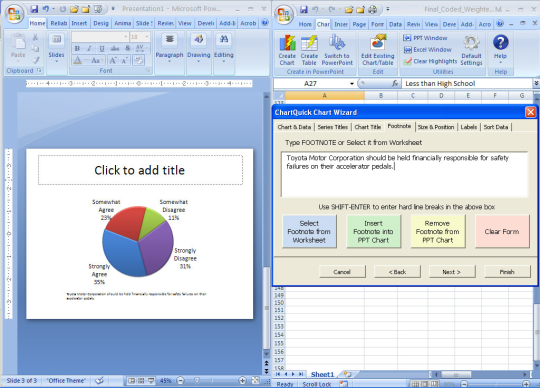
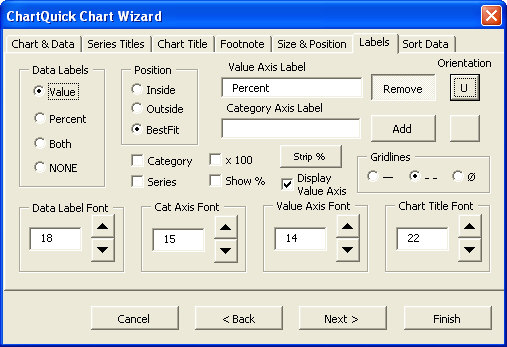
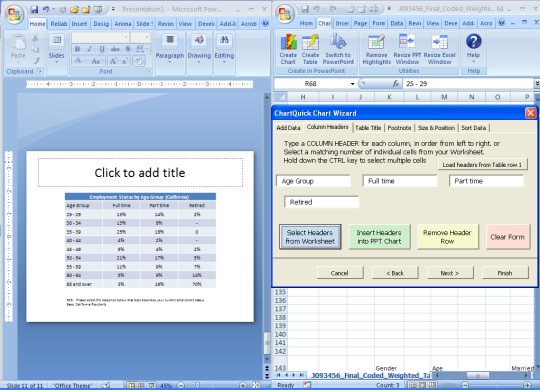
ChartQuick is a charting automation add-in for Microsoft Office Excel 2007/2010 that speeds up the process of turning data into PowerPoint charts. This powerful tool lets you quickly and easily select data from an Excel worksheet, then creates a PowerPoint chart or table based on that data. You can even select data from non-adjacent cells, so you can use it with virtually any data layout. A simple wizard interface puts many common chart options at your fingertips, so you dont have to search for them in the PowerPoint menus. Its like having a "remote control" for PowerPoint! You can adjust labeling, sizing, positioning, and other chart options and instantly see the results on your presentation slide. ChartQuick produces fully editable PowerPoint charts with embedded data, not just pictures. That means you can always go back and do further editing, either with ChartQuick or directly in PowerPoint.
Whats new in this version:
Version 2.0.1 added the feature to use wizard to edit existing charts, set default chart options, and enhanced sorting capabilities.
Where to buy?
Last updated price and discount information 9 years agoupdate now



 Windows XP and above
 View Screenshots(4)
 Comments
 Download





 Similar Software


 Recently Searched
 Software Categories
 Trending Software


 Like Us
