Works on: Windows 10 | Windows 8.1 | Windows 8 | Windows 7 | Windows 2003 | Windows 2008 | Windows Vista | Windows 2012 SHA1 Hash: f60a1fe033ca8a98d2546b56329b7cba00888e04 Size: 4.01 MB File Format: exe
Rating: 1.9
out of 5
based on 23 user ratings
Publisher Website: External Link Downloads: 282 License: Demo / Trial Version
Classic Menu for Excel 2007 is a demo software by Addintools and works on Windows 10, Windows 8.1, Windows 8, Windows 7, Windows 2003, Windows 2008, Windows Vista, Windows 2012.
You can download Classic Menu for Excel 2007 which is 4.01 MB in size and belongs to the software category Sales and Marketing Software. Classic Menu for Excel 2007 was released on 2012-03-22 and last updated on our database on 2017-02-24 and is currently at version 7.
Thank you for downloading from SoftPaz! Your download should start any moment now. It would be great if you could rate and share:
Rate this software:
Share in your network:
Classic Menu for Excel 2007 Description
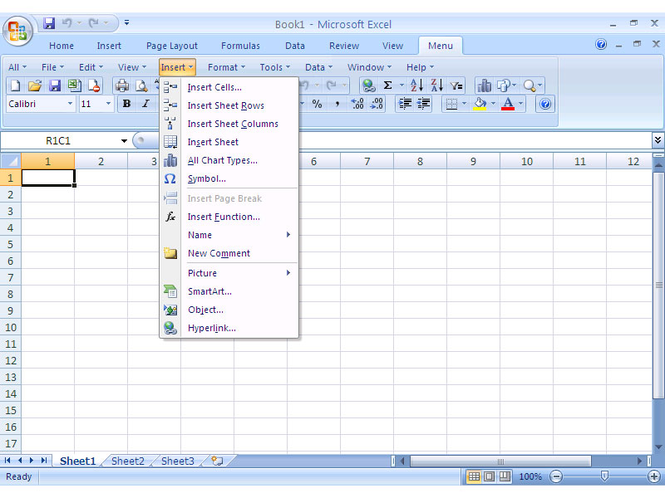
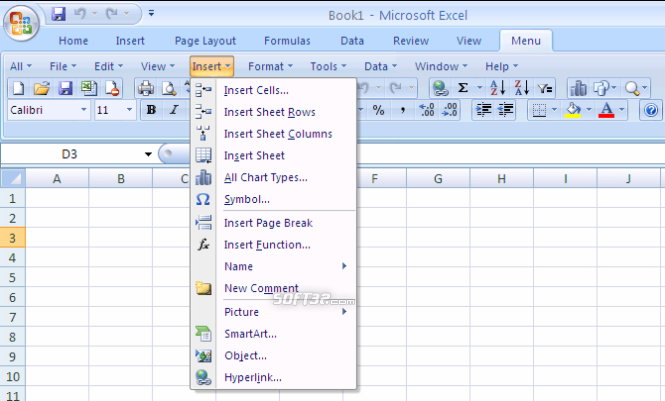
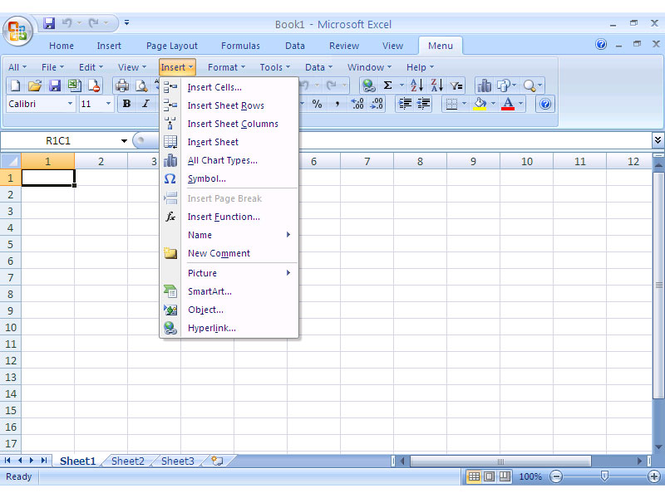
Frustrated by endless searches for features on the Ribbon? You can use Excel 2007 immediately without any training or tutorials if you used Excel 2003 before. Download and install this software to bring back the familiar menus and toolbars to Microsoft Excel 2007. The software allows you to work with Excel 2007 as if it were Excel 2003.
All the new features in Microsoft Excel 2007 have been added into the Main Menu, the Standard Toolbar and Formatting Toolbar.
User can browse the whole menus with keyboard shortcuts (insert Q into the original shortcuts of Office 2003. For example: press Alt + T to open the "Tools" menu in Office 2003, you just need to press Alt, Q, T to open the "Tools" menu in Office 2007).
Supports all languages that are supported by Microsoft Excel 2007 including: English, French, German, Italian, Spanish, Portuguese, Japanese, Chinese, and more.
Add the menus and toolbars to the Quick Access Toolbar, and you can use Excel without the ribbon.
Easy to enable or disable the menus and toolbars.
Easy to install and uninstall.
Quickly find and execute the command that you need.
The Menus tab can be shown on the left of Home tab, or shown as the last tab.
Just press Alt-Q, to use the familiar keyboard shortcuts to browse the whole menu.
Where to buy?
Last updated price and discount information 9 years agoupdate now



 Windows 2003 and above
 View Screenshots(3)
 Comments
 Download





 Similar Software


 Recently Searched
 Software Categories
 Trending Software

 Like Us


