Classle Desktop lets you to sync contents from Classle's Social Learning Platform and Cloud Campus platform on your device for offline learning. Mark the contents for Sync from Learning Circles at Classle (https://www.classle.net) in which you have the membership, and sync it with your device. All learning resources you had marked for Synchronization gets downloaded onto your PC and you are all set for offline learning.
It’s simple and easy to use as well! :
All you need is a membership on Classle (https://www.classle.net), which is completely free of charge.
Select and mark the contents and courses of your interest that you wish to study offline.
Connect your Desktop or Laptop to the internet, login into the app, and all of the contents that you marked get synchronized for your offline learning.
Every time you sync your device, your courses and learning circles material get updated for you to keep using!
Features:
Free download
Speedy usage as it is offline, internet only required for syncing
Access to over 900 Learning Circles and over 50,000 content pages in the library
Subscription availability to 200 courses
Access to over 2,55,075 quizzes
Regular updates notified through announcements
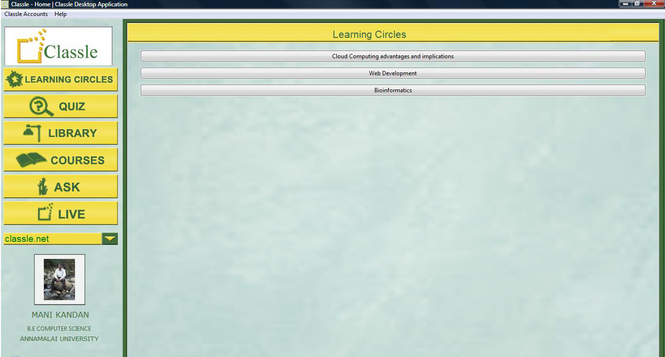
Easy and functional User Interface
You can post your suggestions and ask queries at
[email protected] .



 Windows XP and above
 View Screenshots(1)
 Comments
 Download




 Similar Software


 Recently Searched
 Software Categories
 Trending Software


 Like Us
