Works on: Windows 10 | Windows 8.1 | Windows 8 | Windows 7 | Windows XP | Windows 2000 | Windows 2003 | Windows 2008 | Windows 98 | Windows ME | Windows NT | Windows Vista | Windows 2012 SHA1 Hash: f18f471a4c1cbd73475a3cbb8648ce808deeecf1 Size: 1.87 MB File Format: exe
Rating: 2.3
out of 5
based on 23 user ratings
Publisher Website: External Link Downloads: 177 License: Demo / Trial Version
Clean Startup is a demo software by BoomBit and works on Windows 10, Windows 8.1, Windows 8, Windows 7, Windows XP, Windows 2000, Windows 2003, Windows 2008, Windows 98, Windows ME, Windows NT, Windows Vista, Windows 2012.
You can download Clean Startup which is 1.87 MB in size and belongs to the software category Lockdown. Clean Startup was released on 2010-10-07 and last updated on our database on 2017-04-22 and is currently at version 1.07.
Thank you for downloading from SoftPaz! Your download should start any moment now. It would be great if you could rate and share:
Rate this software:
Share in your network:
Clean Startup Description
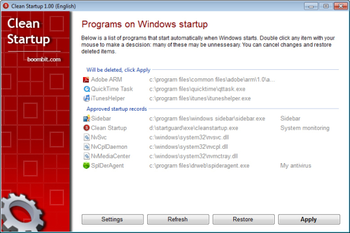
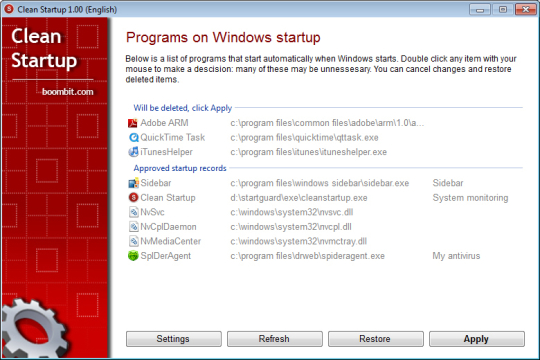
Every time you log on to Windows it launches many programs for you. Thus you can see many tray icons near system clock and Desktop alerts. Some of these programs are completely hidden. Tired of many icons near clock? Got many alerts on Windows startup? Is there useless program that wasting system resources while you working? Or annoying adware? Not sure what to do with these? There is no harm to clean the list of auto-startup programs! You can and you should do that! Many of such auto-startup programs is just for convenience - garbage - you can disable them! Our program will help you with that! Clean Startup shows all Windows auto-startup areas in one list. Double click item in the list to choose to approve it or not. If you choose to delete some startup record you wont delete the file itself from the disk. It just stops automatically loading on Windows startup. You can launch that file later, if needed. If youre computer newbie or have deleted some startup record by accident you can restore it easily. Something went wrong? Some program stopped working correctly after you made some changes to auto-startup records? No problem, just click Restore button and reboot your computer. Clean Startup can monitor all Windows startup areas for new items and conveniently inform you if there is will be any new ones. With our program you will disable many useless speed launchers, file checkers, reminders, quick time icons, commercial news alerts, adware and many more garbage... You even can catch and remove many computer viruses - they also automatically start from the same startup areas as usual files! The main benefit of Clean Startup is a garbage-free screen and fast computer. Keep your screen, computer memory and workspace clear!
Whats new in this version:
Version 1.05 has fixed some problems with German translation and added support for monitors that have 120 DPI.
Where to buy?
Last updated price and discount information 9 years agoupdate now



 Windows NT and above
 View Screenshots(1)
 Comments
 Download





 Similar Software


 Recently Searched
 Software Categories
 Trending Software
 Like Us

