Works on: Windows 10 | Windows 8.1 | Windows 8 | Windows 7 | Windows XP | Windows 2000 | Windows 2003 | Windows 2008 | Windows 98 | Windows ME | Windows NT | Windows Vista | Windows 2012 SHA1 Hash: f46d041d182a577749ba6c36bf914374bd6cfcb5 Size: 1.45 MB File Format: exe
Rating: 1.9
out of 5
based on 23 user ratings
Publisher Website: External Link Downloads: 1337 License: Demo / Trial Version
Color Picker ActiveX Control is a demo software by Red MiniBox Software and works on Windows 10, Windows 8.1, Windows 8, Windows 7, Windows XP, Windows 2000, Windows 2003, Windows 2008, Windows 98, Windows ME, Windows NT, Windows Vista, Windows 2012.
You can download Color Picker ActiveX Control which is 1.45 MB in size and belongs to the software category Components Libraries. Color Picker ActiveX Control was released on 2012-10-15 and last updated on our database on 2017-04-24 and is currently at version 1.15.
Thank you for downloading from SoftPaz! Your download should start any moment now. It would be great if you could rate and share:
Rate this software:
Share in your network:
Color Picker ActiveX Control Description
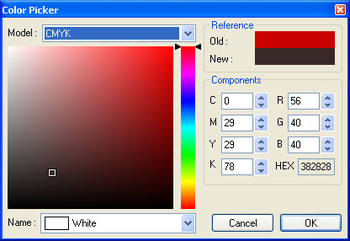
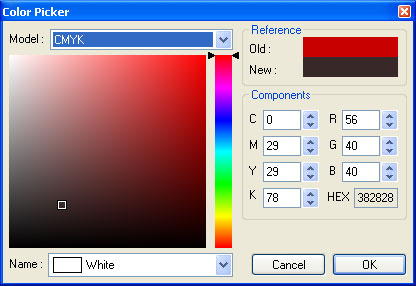
Color Picker ActiveX Control is designed for .NET, Visual Basic, Visual C++, Visual FoxPro, HTML, Office document and any other environment that support ActiveX technology. Color Picker ActiveX Control is an ActiveX component that includes one dialog. It provides facilities to select from most popular three color models like RGB (Red, Green, Blue), HSB (Hue, Saturation, Brightness) and CMYK (Cyan, Magenta, Yellow, Black). Color selection is the act of picking the color that you want to use in part of your image. You can always see which colors are currently selected, since it is shown near the upper-right hand corner of the dialog. There are two color boxes. The one on the left represents the current color. The one on the right represents the selected color. You may easily see the difference between current and selected colors. The Color Picker dialog box, allows you to select a very specific shade, either by visually choosing it or by defining the color numerically.
Where to buy?
Last updated price and discount information 9 years agoupdate now



 Windows NT and above
 View Screenshots(1)
 Comments
 Download





 Similar Software


 Recently Searched
 Software Categories
 Trending Software

 Like Us

