Works on: Windows 10 | Windows 8.1 | Windows 8 | Windows 7 | Windows XP | Windows 2000 | Windows 2003 | Windows 2008 | Windows Vista | Windows 2012 SHA1 Hash: dd9dd38c248c9da75472ca2476c9bfcc658a5917 Size: 9.96 MB File Format: exe
Rating: 2.4
out of 5
based on 23 user ratings
Downloads: 153 License: Free
Comodo Online Storage is a free software by Comodo and works on Windows 10, Windows 8.1, Windows 8, Windows 7, Windows XP, Windows 2000, Windows 2003, Windows 2008, Windows Vista, Windows 2012.
You can download Comodo Online Storage which is 9.96 MB in size and belongs to the software category Backup and Recovery. Comodo Online Storage was released on 2011-10-20 and last updated on our database on 2017-04-23 and is currently at version 2.
Thank you for downloading from SoftPaz! Your download should start any moment now. It would be great if you could rate and share:
Rate this software:
Share in your network:
Comodo Online Storage Description
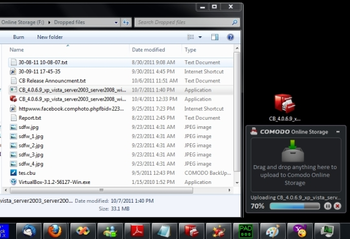
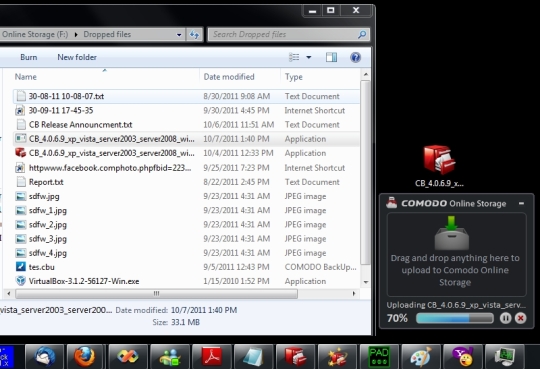
Online Backup fast & easy with the new Comodo Online Storage. You can easily drag and drop files online, synchronize folders, browse/upload/download files via website, use any program to browse/view/edit files via Online Drive. The website can be used to upload and download files from any OS including Linux, Mac and others. Here are the most important features we offer: Dropzone. The dropzone is non-intrusive and it appears only when dragging and dropping something. Once the upload is finished, the files are available anywhere where you are connected. Website application for browsing / uploading / downloading files https://www.ccloud.com. Files and Folders on website can be shared with other people, even non-COS users by sending them the link. 5GB free accounts. You can sign-up with your email address as user name. Optional automatic upload of screen captures, including screen captures for games which run in full screen. default synchronized folder in MyDocuments which is automatically synchronized over all computers where you login. synchronization option in right click menu on a folder. All synchronized folders have an overlayed icon for information about synchronization state. COS mounted drive which behaves like a local drive. You can use any program to browse, view and edit files online without requiring additional local storage space. You can gain up to 10GB of extra storage space if you send you referral link to friends (200MB per each friend who signs up). API for managing files online. If you are a developer you can write your own application to manage files online. This is a WEB API, so the application can be developed on any platform (Mac, Linux, Windows, mobile platforms, etc) http://us4.download.comodo.com/cos/COS-WSDL-WEBAPI.pdf



 Windows XP and above
 View Screenshots(1)
 Comments
 Download




 Similar Software


 Recently Searched
 Software Categories
 Trending Software

 Like Us

