Version: 2.49 Last Updated: 28 Feb 2017 Release: 10 Feb 2012 Category: Office tools
Rate this software:
134 downloads
View Screenshots(1)
Comments
Download
Liked it? Tell others:
Connexa XS Classic Details
Works on: Windows 10 | Windows 8.1 | Windows 8 | Windows 7 | Windows XP | Windows 2000 | Windows 2003 | Windows 2008 | Windows Vista | Windows 2012 SHA1 Hash: 3ab6f0a45d5045b3909c9d2f614946314d25806b Size: 3.13 MB File Format: exe
Rating: 1.8
out of 5
based on 23 user ratings
Publisher Website: External Link Downloads: 134 License: Demo / Trial Version
Connexa XS Classic is a demo software by Red Circle Software and works on Windows 10, Windows 8.1, Windows 8, Windows 7, Windows XP, Windows 2000, Windows 2003, Windows 2008, Windows Vista, Windows 2012.
You can download Connexa XS Classic which is 3.13 MB in size and belongs to the software category Office tools. Connexa XS Classic was released on 2012-02-10 and last updated on our database on 2017-02-28 and is currently at version 2.49.
Thank you for downloading from SoftPaz! Your download should start any moment now. It would be great if you could rate and share:
Rate this software:
Share in your network:
Connexa XS Classic Description
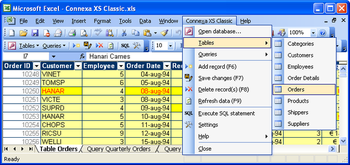
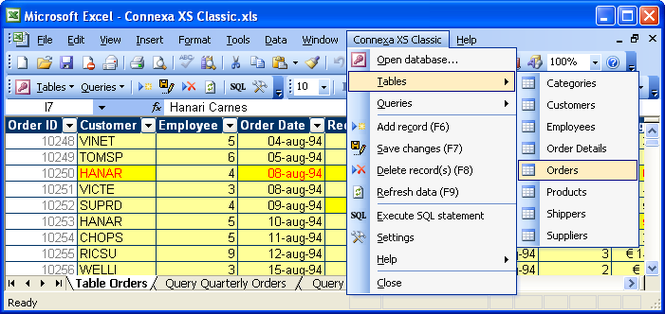
Connexa XS Classic enables two-way communication between MS Excel and MS Access. Thus the awesome database capabilities of MS Access are combined with the convenience of Microsoft spreadsheets.
Connexa XS Classic is an Excel add-in that is intended for the Excel versions Excel 2002 ('XP') and Excel 2003. It allows you and your co-workers to explore and adjust data in MS Access. Simply select a MS Access file from within MS Excel and you're all set. Alter data using the trusted editing techniques of MS Excel like value pasting, drag-filling or even by using formula's! Enforce data-integrity in Excel by applying indexes and relations on tables in MS Access. Enable your co-workers to maintain simultaneously data that is vital to you and your company. And they won't need MS Access (knowledge) to do so; the easy-to-use Connexa menu and command bar will unlock the major MS Access functionality from within Excel in no time.
Some of the advantages:
- View and edit your data in a single spreadsheet (two-way communication)
- Data is stored in a centralized Access database
- Make use of all the advantages of Excel and Access combined
- Only basic knowledge of Excel is required (no extra schooling of your employees)
- Shows predefined and custom queries directly in Excel
- Explores MS Access objects via Excel without MS Access installed
- Use Excel formulas and drag-fill to create data in MS Access tables
- Supports secure multi-user collaboration via Excel
- Creates input validations in Excel through MS Access (data type) definitions
- Executes (parameterized) MS Access action queries from within MS Excel
Try it and turn MS Excel 2003 into your database front-end!
Where to buy?
Last updated price and discount information 9 years agoupdate now



 Windows XP and above
 View Screenshots(1)
 Comments
 Download





 Similar Software


 Recently Searched
 Software Categories
 Trending Software

 Like Us


