Works on: Windows 10 | Windows 8.1 | Windows 8 | Windows 7 | Windows 2012 SHA1 Hash: 9d6d7cde4a8f8dfdecda32196b51b4a17acc5f02 Size: 59.99 MB File Format: zip
Rating: 2.2
out of 5
based on 23 user ratings
Publisher Website: External Link Downloads: 1273 License: Demo / Trial Version
CyberShop is a demo software by XTR Systems and works on Windows 10, Windows 8.1, Windows 8, Windows 7, Windows 2012.
You can download CyberShop which is 59.99 MB in size and belongs to the software category Accounting and Billing Software. CyberShop was released on 2013-10-10 and last updated on our database on 2017-04-26 and is currently at version 1.
Thank you for downloading from SoftPaz! Your download should start any moment now. It would be great if you could rate and share:
Rate this software:
Share in your network:
CyberShop Description
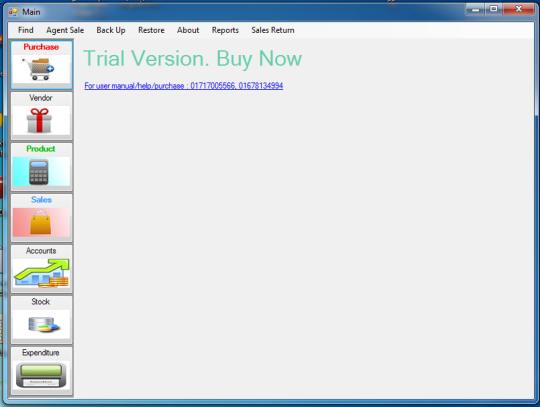
This is the trial version but it has no trial period so you can use it forever without any payment. But in trial version you wont get any updates, print outs, account management and many more features. To use this software, first you have to put your product in the product page by clicking the product button in main menu. then add your suppliers in the vendor page by clicking the vendor button on main menu. now buy items from your supplier by selecting them form purchase page. products with serial number should be entered coma separated like for three products "123, 456789, AAVV" then press add and after that save. when you want to sale your item do the same but dont for get to enter price and customer information to the right of sales page. always use U.S. time format in windows or else itll give error. view your stocks in stock page and view accounts in account page by choosing make payment or get payment. therere more features available those are described in our user manual please request user manual via our email address "[email protected]" well mail it to you. our customer service is 24hr open feel free to call us. thank you. hope you enjoy using our product. and all our product comes with warranty.
Whats new in this version:
stock module is open.Minor Bug fix
Where to buy?
Last updated price and discount information 9 years agoupdate now



 Windows 7 and above
 View Screenshots(1)
 Comments
 Download





 Similar Software


 Recently Searched
 Software Categories
 Trending Software

 Like Us
