Version: 1.9 Last Updated: 24 Apr 2017 Release: 20 Aug 2012 Category: System
Rate this software:
118 downloads
View Screenshots(4)
Comments
Download
Liked it? Tell others:
DAO4Sync Docs Edition Details
Works on: Windows 10 | Windows 8.1 | Windows 8 | Windows 7 | Windows 2003 | Windows 2008 | Windows Vista | Windows 2012 SHA1 Hash: 3bd9dcbef5a0c792572f9584d0ec37b6fc0f73b7 Size: 4.17 MB File Format: exe
Rating: 2.3
out of 5
based on 23 user ratings
Downloads: 118 License: Free
DAO4Sync Docs Edition is a free software by DAO System Technologies and works on Windows 10, Windows 8.1, Windows 8, Windows 7, Windows 2003, Windows 2008, Windows Vista, Windows 2012.
You can download DAO4Sync Docs Edition which is 4.17 MB in size and belongs to the software category System. DAO4Sync Docs Edition was released on 2012-08-20 and last updated on our database on 2017-04-24 and is currently at version 1.9.
Thank you for downloading from SoftPaz! Your download should start any moment now. It would be great if you could rate and share:
Rate this software:
Share in your network:
DAO4Sync Docs Edition Description
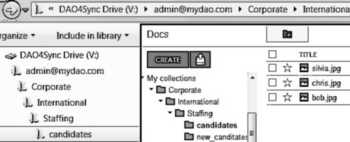
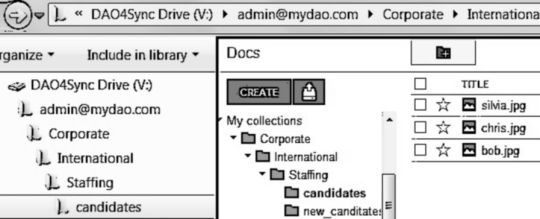
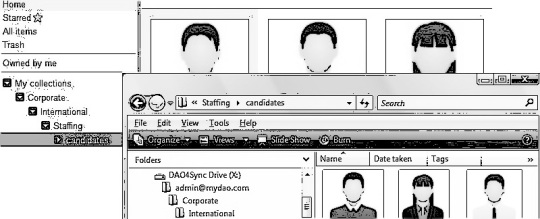
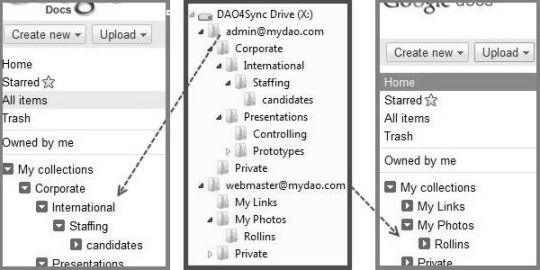
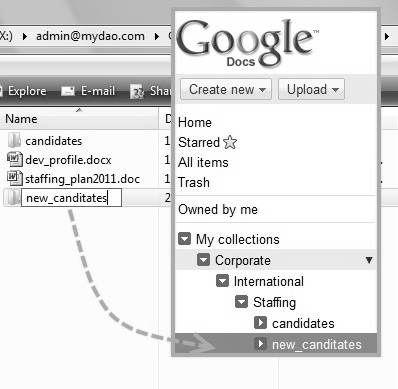
DAO4Sync Docs Edition is the perfect integration for your Google Docs in to your PCs desktop world. DAO4Sync Docs Edition establishes a real local drive representing your Google Docs, e.g. documents, spreadsheets, folders etc.Your PCs operation system will recognize the DAO4Sync Drive as a normal hard drive medium.All applications of your daily work will work directly with your Google Docs storage, like Windows Explorer, text processing, virus scanner, backup/restore, security, folder network sharing etc.You save your work in the application you are using and it will be automatically and transparent stored immediately on to your Google Docs storage respectively document.A huge benefit of the DAO4Sync Docs Edition is, you do not need to be continuously connected to the Internet respectively Google Docs. Work as long you need offline and balance your data in a final step regarding your Google Docs Cloud storage.There is no sudden disappearing of your DAO4Sync Drive when you are getting offline to the Internet respectively to your Google Docs storage.DAO4Sync contains a Synchronization Engine which will keep your data within your DAO4Sync Drive and your Google Docs storage in balance. You can work with DAO4Sync connected or disconnected to Google Docs. When DAO4Sync is reconnected to Google Docs again; the files will be synchronized automatically from or to your Google Docs storage regardless the application you are using.If you are faced with having a huge amount of documents, files, images within your Google Docs storage, you can only synchronize the documents you want to be synchronized. Just select the corresponding document to be synchronized or not.



 Windows 2003 and above
 View Screenshots(4)
 Comments
 Download




 Similar Software


 Recently Searched
 Software Categories
 Trending Software
 Like Us


