Works on: Windows 10 | Windows 8.1 | Windows 8 | Windows 7 | Windows XP | Windows 2000 | Windows 2003 | Windows 2008 | Windows Vista | Windows 2012 SHA1 Hash: c266b4fa0b48154513099ae90dec62f2ac595239 Size: 2.01 MB File Format: exe
Rating: 2.4
out of 5
based on 23 user ratings
Publisher Website: External Link Downloads: 226 License: Demo / Trial Version
DeskActive is a demo software by DeskActive and works on Windows 10, Windows 8.1, Windows 8, Windows 7, Windows XP, Windows 2000, Windows 2003, Windows 2008, Windows Vista, Windows 2012.
You can download DeskActive which is 2.01 MB in size and belongs to the software category Home and Education. DeskActive was released on 2012-02-23 and last updated on our database on 2017-04-23 and is currently at version 2.4.
Thank you for downloading from SoftPaz! Your download should start any moment now. It would be great if you could rate and share:
Rate this software:
Share in your network:
DeskActive Description
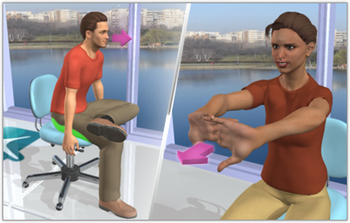
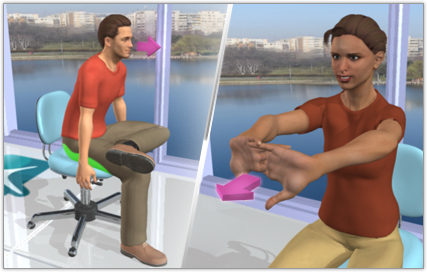
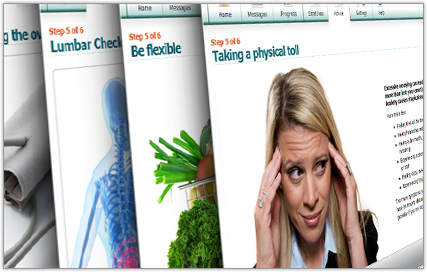
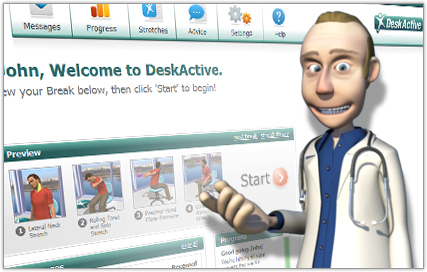
DeskActive can help individuals feel better at work. Just a few minutes of stretching at your computer each day can make a difference. Daily stretch breaks with animated personal trainers - DeskActive reaches out to users automatically with fun and inviting interactions--using humor, persuasion and electronic attaboys to grab your attention and encourage action. Dr. Dale is your DeskActive guide--Each day, Dr. Dale will welcome you to DeskActive through reminder messages on your desktop. Sitting too much is bad for you--One of the most respected researchers in the area of physical activity is urging employers to provide more opportunities to be physically active during the workday. Dr. Steven Blair, an exercise scientist, says that far too many people sit far too much, and "physical activity is probably the biggest public health problem" we have in the U.S. Employers should use their creativity to provide opportunities for physical activity because of the benefits it can bring. Three ways to stay active -DeskActives advanced stretch breaks come in three formats--DeskActive Breaks, for a complete body and mind break, Target Breaks for focused care of a problem body area, and Advice Tips for super-quick info on health and well-being. DeskActive Breaks--DeskActive Breaks contain stretches that keep you moving throughout your workday. Add a couple of health and wellness advice tips on your favorite topics, and youve got a complete rest for mind-and-body. You decide how many stretches you want to do and how often. We recommend four stretches at a time--at least twice a day. Thats just 3-5 minutes of your time. Target Breaks--Target Breaks are specialized stretch breaks for problem areas or specific body parts. Many users like to use time mode to receive these simple health and wellness pop-ups every couple of hours or so. Smart Reminders keep you moving--Its easy to be "DeskActive." When you install DeskActive, its always open on your computer. So youll get automatic reminders from Dr. Dale--your animated DeskActive Guide.
How to create a DeskActive account: Once DeskActive has been installed on your machine, please double-click on the DeskActive icon to start DeskActive. On the login screen, click the Create Account button. Fill in all of the fields. Click OK. Your account will be created and DeskActive will automatically start.
Whats new in this version:
In version 2.4.1, DeskActive will now detect if you are running on a proxy network. New dialog and support for when users internet connection is dropped. DeskActive now connects correctly when Windows resumes from hibernation. Plus additional minor improvements and cosmetic fixes.
Where to buy?
Last updated price and discount information 9 years agoupdate now



 Windows 2000 and above
 View Screenshots(3)
 Comments
 Download





 Similar Software


 Recently Searched
 Software Categories
 Trending Software
 Like Us


