Version: 2.4 Last Updated: 16 Apr 2017 Release: 07 Aug 2009 Category: System
Rate this software:
139 downloads
View Screenshots(3)
Comments
Download
Liked it? Tell others:
DESKonTOP Details
Works on: Windows 10 | Windows 8.1 | Windows 8 | Windows 7 | Windows 2012 SHA1 Hash: 114511029bf4ca6916ad4bc1a81dc7b0e1cf2052 Size: 1.25 MB File Format: zip
Rating: 1.8
out of 5
based on 23 user ratings
Downloads: 139 License: Free
DESKonTOP is a free software by Shuric Com. and works on Windows 10, Windows 8.1, Windows 8, Windows 7, Windows 2012.
You can download DESKonTOP which is 1.25 MB in size and belongs to the software category System. DESKonTOP was released on 2009-08-07 and last updated on our database on 2017-04-16 and is currently at version 2.4.
Thank you for downloading from SoftPaz! Your download should start any moment now. It would be great if you could rate and share:
Rate this software:
Share in your network:
DESKonTOP Description
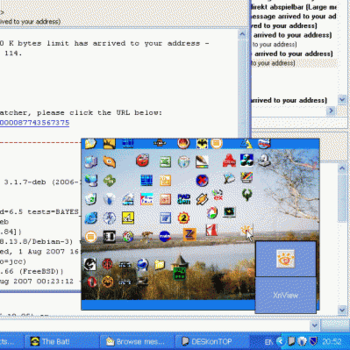
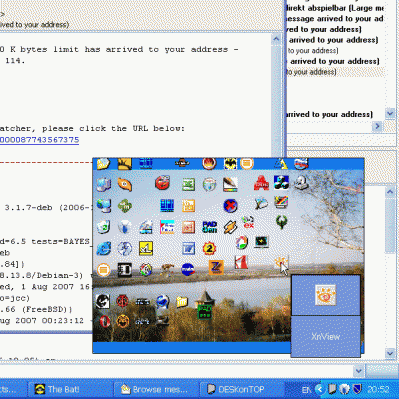
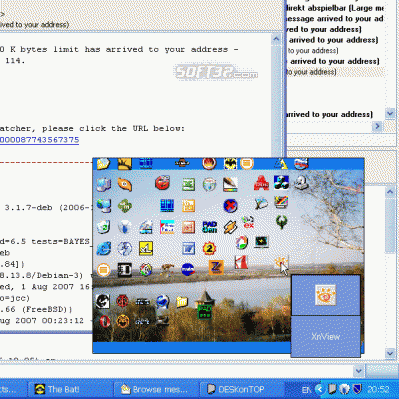
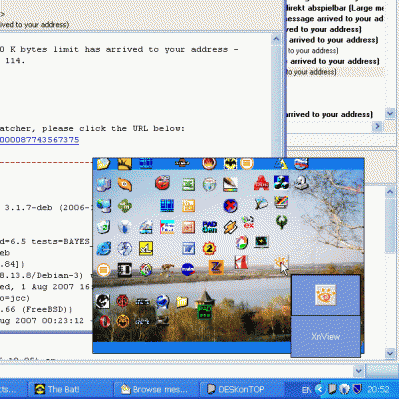
Solve window clutter, speed-launch desktop shortcuts and access your computer desktop easily with just two mouse clicks. How many application windows do you have open during your typical computer work? If your answer is "many"-DESKonTOP is right for you! Windows offers a convenient way to access applications and documents you use often by placing shortcuts to your computer desktop. These shortcuts are fast to click, but what if you have a window that covers your desktop? Minimizing an active window or moving it away to access the desktop may seem a good solution for a while, but what if you work with more than just one or two applications? Those shortcut icons are covered well enough to make you spend a while to minimize or move every window that blocks access. Opening that same shortcut from the Windows Start menu is even slower. Show Desktop button may seem a solution until you realize that it is impossible to restore your working set after you've launched the shortcut with a single click, and that you have to restore the windows one by one. DESKonTOP finally solves the puzzle. To launch a shortcut from your desktop simply click DESKonTOP icon near the system clock, and you'll see a small copy of your desktop with all shortcuts and icons. You can easily launch a shortcut from there, and that's it! No need to minimize or move windows around. No need for Start menu exploration. No playing hide-and-seek with your windows. All it takes is one click on DESKonTOP icon, and one more click to launch a shortcut! Once the mouse cursor is over an icon, DESKonTOP will enlarge it to show you the full-size version of the icon and its text label, allowing you to clearly see and click the shortcut without training your sniper skills. Still find it difficult to use the small icons on the reduced copy of your desktop? No problem! DESKonTOP is readily customizable, allowing you to fine-tune the appearance of the mini-desktop the way you like, from bigger icons to menu-driven system.



 Windows 7 and above
 View Screenshots(3)
 Comments
 Download




 Similar Software


 Recently Searched
 Software Categories
 Trending Software

 Like Us


