Works on: Windows 10 | Windows 8.1 | Windows 8 | Windows 7 | Windows XP | Windows 2000 | Windows 2003 | Windows 2008 | Windows 98 | Windows ME | Windows NT | Windows Vista | Windows 2012 SHA1 Hash: dc383891c7f109c502b0470b2eb8a1ffaa9be13a Size: 9.64 MB File Format: jar
Rating: 2.5
out of 5
based on 23 user ratings
Downloads: 134 License: Free
DingLabs Desktop Player is a free software by DingLabs.com and works on Windows 10, Windows 8.1, Windows 8, Windows 7, Windows XP, Windows 2000, Windows 2003, Windows 2008, Windows 98, Windows ME, Windows NT, Windows Vista, Windows 2012.
You can download DingLabs Desktop Player which is 9.64 MB in size and belongs to the software category Home and Education. DingLabs Desktop Player was released on 2011-02-11 and last updated on our database on 2017-04-22 and is currently at version 0.1.
Thank you for downloading from SoftPaz! Your download should start any moment now. It would be great if you could rate and share:
Rate this software:
Share in your network:
DingLabs Desktop Player Description
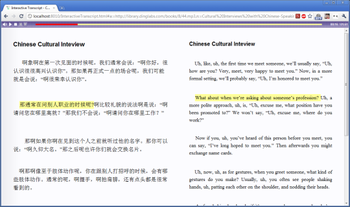
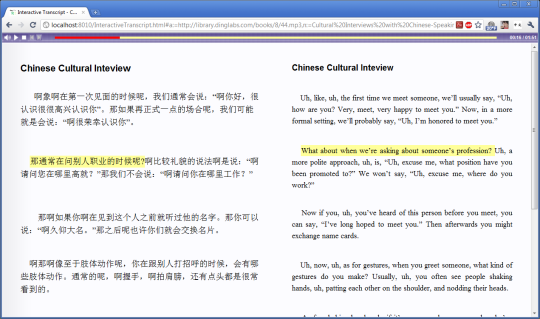
An off-line version of the DingLabs Reader (http://reader.dinglabs.com). You can practice Listening-Reading with any Transcriber content (TRS files) on your computer. Using the Desktop Player, you can select MP3 and Transcriber files from your computer and play them together in your browser.A brand new feature is dual transcripts, letting you see two languages side-by-side (e.g. one in English, one in Japanese).For full instructions, refer to: http://www.dinglabs.com/desktop-player



 Windows NT and above
 View Screenshots(1)
 Comments
 Download




 Similar Software


 Recently Searched
 Software Categories
 Trending Software
 Like Us


