Version: 2.2 Last Updated: 07 Mar 2017 Release: 09 Aug 2009 Category: Internet > E-mail
Rate this software:
109 downloads
View Screenshots(1)
Comments
Download
Liked it? Tell others:
EasyCombineMail Details
Works on: Windows 10 | Windows 8.1 | Windows 8 | Windows 7 | Windows 2012 SHA1 Hash: 2d5f73aa7338f35c02ab334f721d7a6d972e2cac Size: 47.32 MB File Format: exe
Rating: 2.4
out of 5
based on 23 user ratings
Publisher Website: External Link Downloads: 109 License: Demo / Trial Version
EasyCombineMail is a demo software by Km Sciences Inc. and works on Windows 10, Windows 8.1, Windows 8, Windows 7, Windows 2012.
You can download EasyCombineMail which is 47.32 MB in size and belongs to the software category E-mail. EasyCombineMail was released on 2009-08-09 and last updated on our database on 2017-03-07 and is currently at version 2.2.
Thank you for downloading from SoftPaz! Your download should start any moment now. It would be great if you could rate and share:
Rate this software:
Share in your network:
EasyCombineMail Description
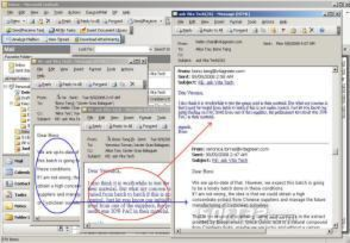
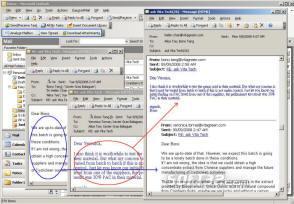
EasyCombineMail is an Add-in to your Outlook which allows you to conveniently combine any number of emails from your mailbox. EasyCombineMail is also the core function used by other more powerful features.
Anyone who finds it more convenient to view a set of related email messages as a combined message. Simply select any number of email messages from your mailbox using standard highlight and select techniques. Then click Combine in the Outlook menu you can view the combined message to more conveniently follow the discussion. You can print it or export it into a word processor for additional formatting or searching.
You save time and improve the quality of your work. Now you can quickly organize all of the email messages relating to a topic or a project. You no longer worry about getting lost paging back through a series of emails, or having to manually sort through pages and pages of printed messages.
EasyCombineMail processes the email messages you have selected and produces one combined output message. Note that if, as a result of forwarding and replying, there were duplicate sub-messages, these will be eliminated. The combined message is organized in date-time order with the more recent sub-message first.
Where to buy?
Last updated price and discount information 9 years agoupdate now



 Windows 7 and above
 View Screenshots(1)
 Comments
 Download





 Similar Software


 Recently Searched
 Software Categories
 Trending Software


 Like Us


