Works on: Windows 10 | Windows 8.1 | Windows 8 | Windows 7 | Windows XP | Windows 2000 | Windows 2003 | Windows 2008 | Windows 98 | Windows ME | Windows NT | Windows Vista | Windows 2012 SHA1 Hash: 7f527c1d5dd213964159b656973213624b3acd93 Size: 1.45 MB File Format: msi
Rating: 2.3
out of 5
based on 23 user ratings
Downloads: 123 License: Free
EasyScreenshot is a free software by AndrewHathaway and works on Windows 10, Windows 8.1, Windows 8, Windows 7, Windows XP, Windows 2000, Windows 2003, Windows 2008, Windows 98, Windows ME, Windows NT, Windows Vista, Windows 2012.
You can download EasyScreenshot which is 1.45 MB in size and belongs to the software category Hard Disk and CD DVD BluRay Utilities. EasyScreenshot was released on 2012-01-19 and last updated on our database on 2017-04-23 and is currently at version 2.3.
Thank you for downloading from SoftPaz! Your download should start any moment now. It would be great if you could rate and share:
Rate this software:
Share in your network:
EasyScreenshot Description
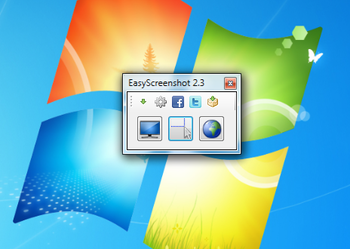
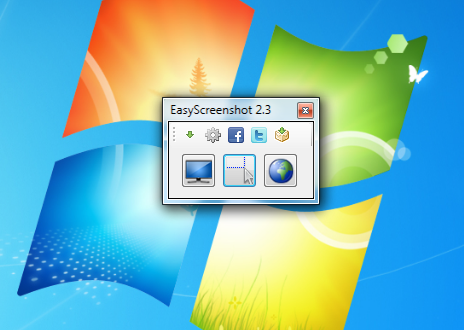
The EasyScreenshot is an intuitive, time-saving and handy application that makes taking screenshots an easy and fun task. A great combination of features that leads to a very important characteristic: efficiency. As simple as it may sound, making a screen capture can prove to be a laborious task, especially if you dont use the right tools. There are screen capture programs with far too many options and settings that coupled with a difficult interface make you want to quit your task. Therefore, no one can deny theres a need for a reliable and handy program that makes taking screenshots a really easy job. EasyScreenshot is such a software. The convenient EasyScreenshot application comes with a very user friendly interface that provides the right functions in the right places in order to help you work truly efficiently. With just a few simple steps you can take a screenshot of your whole desktop or just a smaller part, whatever you need.EasyScreenshot comes especially in handy when you need to capture a certain portion of the screen. Then you can copy that to the clipboard or paste it to other applications. You can precisely select the size of the image capture area due to the see-trough feature that this useful program offers.You can easily take a screenshot of an entire WebPage as this smart tool provides specific support for this task, letting you capture a whole webpage instead of just parts of it. Furthermore, EasyScreenshot provides some other very useful functions to help you work in a quick and easy manner. You can configure the software to automatically save the screen shots to the clipboard so you can save time and perform no unneeded additional actions.You can also choose to add a watermark to your images, therefore every screenshot you take will automatically be watermarked. This feature saves a lot of time and relieves you from the need of using a separate software to accomplish this task. This smart application also offers you the possibility to "Tweet" your screenshots. With just a few click you can upload them to your Twitter account. To sum it all up, if you need a free, intuitive and reliable application that will help you easily take screenshots then a great solution is provided by the handy EasyScreenshot application.



 Windows NT and above
 View Screenshots(1)
 Comments
 Download




 Similar Software


 Recently Searched
 Software Categories
 Trending Software

 Like Us

