Works on: Windows 10 | Windows 8.1 | Windows 8 | Windows 7 | Windows XP | Windows 2000 | Windows 2003 | Windows 2008 | Windows Vista | Windows 2012 SHA1 Hash: f98b0b034d3a4998fabbbd1e9cd78309113d858c Size: 6.7 MB File Format: exe
Rating: 1.7
out of 5
based on 23 user ratings
Publisher Website: External Link Downloads: 123 License: Demo / Trial Version
EdocSync is a demo software by SyncEvolution and works on Windows 10, Windows 8.1, Windows 8, Windows 7, Windows XP, Windows 2000, Windows 2003, Windows 2008, Windows Vista, Windows 2012.
You can download EdocSync which is 6.7 MB in size and belongs to the software category Business. EdocSync was released on 2010-07-08 and last updated on our database on 2017-04-22 and is currently at version 1.7.
Thank you for downloading from SoftPaz! Your download should start any moment now. It would be great if you could rate and share:
Rate this software:
Share in your network:
EdocSync Description
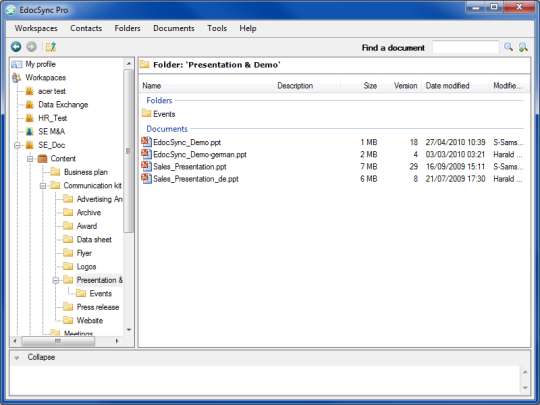
EdocSync the file sync software helps team members to share, co-author and synchronize documents of any kind. EdocSync significantly simplifies, optimizes, automates the management of documents and enhances the efficiency of the work processes surrounding the lifecycle of many document types used today, such as merging, versioning and sharing. It runs in real time using the Internet and local area networks transparently for the user, is easy to use, completely secured, and provides significant cost saving potential.
Whats new in this version:
Version 1.7 includes new design (windows look and feel). Email alerts when documents are modified within EdocSync.



 Windows XP and above
 View Screenshots(1)
 Comments
 Download




 Similar Software


 Recently Searched
 Software Categories
 Trending Software


 Like Us


