Works on: Windows 10 | Windows 8.1 | Windows 8 | Windows 7 | Windows 2012 SHA1 Hash: c90d09f66be157a29c4d24346c2db1462be5ef45 Size: 17.91 MB File Format: exe
Rating: 2.0
out of 5
based on 23 user ratings
Downloads: 280 License: Free
eezPix Photo Organizer is a free software by Eezpix Inc. and works on Windows 10, Windows 8.1, Windows 8, Windows 7, Windows 2012.
You can download eezPix Photo Organizer which is 17.91 MB in size and belongs to the software category Image Editors Convertors Viewers. eezPix Photo Organizer was released on 2009-08-11 and last updated on our database on 2017-04-16 and is currently at version 1.15.
Thank you for downloading from SoftPaz! Your download should start any moment now. It would be great if you could rate and share:
Rate this software:
Share in your network:
eezPix Photo Organizer Description
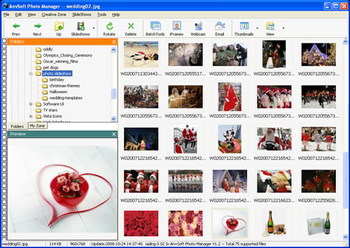
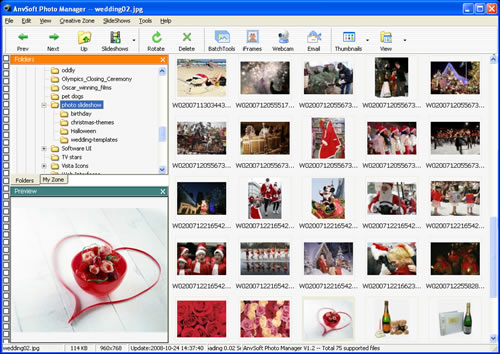
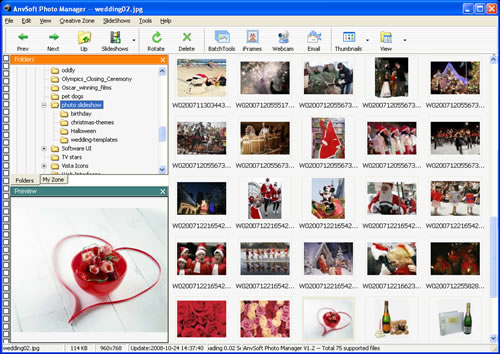
eezPix Photo Organizer is your creative way of organizing, enjoying and sharing photos. It's easy to import photos and create new albums with eezPix. You can even preview and edit photos without importing them to new albums. Large thumbnail and full screen side show enable you to examine and enjoy your collection of photos.
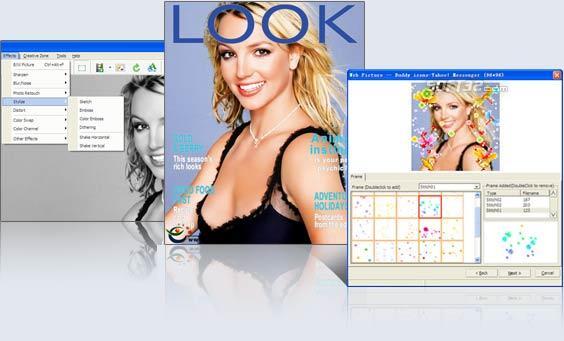
eezPix offers often-used editing tools to help you fix and polish photos, rotate, crop, resize, adjust lightness, contrast and saturation. You can adjust photo color in a number of ways, histogram, curve, color balance, etc. Special effects such as retouching, distortion, blur and noise, can enhance photos to reflect your mood and taste.
For professional users, batch processing is a powerful and useful feature. You can batch compress pictures, convert between image formats, add watermark, caption and frames to photos, and rename all selected photos in batch processing mode.
The greatest bonus of eezPix is its creating tools. eezPix can do more than organizing photos. It can create amazing artworks out of common photos: digital frames, photo collages, Gif animation, buddy icons, display pictures for instant messengers, forum signatures, and more.
What’s more, eezPix knows you want to share your creative photos with relatives and friends. With eezPix, you can print photos and created works in both standard and custom sizes, email photos that are customized. Display pictures can be uploaded to your Facebook, MySpace, Blogger and other websites.
Start action now to keep your photos organized and make them creative. And, share your colorful and creative life with the ones you love.



 Windows 7 and above
 View Screenshots(3)
 Comments
 Download




 Similar Software


 Software Categories
 Trending Software

 Like Us

 Recently Searched