Works on: Windows 10 | Windows 8.1 | Windows 8 | Windows 7 | Windows XP | Windows 2000 | Windows 2003 | Windows 2008 | Windows Vista | Windows 2012 SHA1 Hash: 2537a32bfb0130f916bba91b9565a64ad42fe098 Size: 969.6 KB File Format: exe
Rating: 2.0
out of 5
based on 23 user ratings
Downloads: 125 License: Free
elCopy is a free software by Lyra Software Ltd. and works on Windows 10, Windows 8.1, Windows 8, Windows 7, Windows XP, Windows 2000, Windows 2003, Windows 2008, Windows Vista, Windows 2012.
You can download elCopy which is 969.6 KB in size and belongs to the software category File Management. elCopy was released on 2005-12-30 and last updated on our database on 2017-03-07 and is currently at version 1.
Thank you for downloading from SoftPaz! Your download should start any moment now. It would be great if you could rate and share:
Rate this software:
Share in your network:
elCopy Description
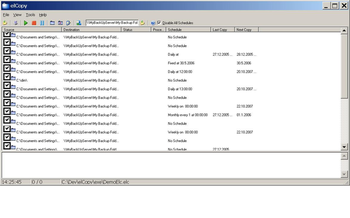
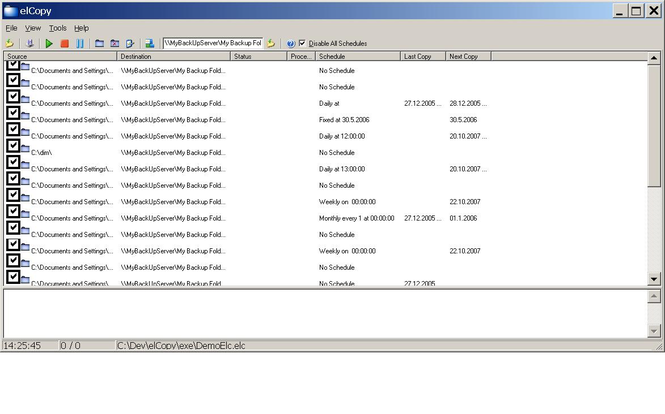
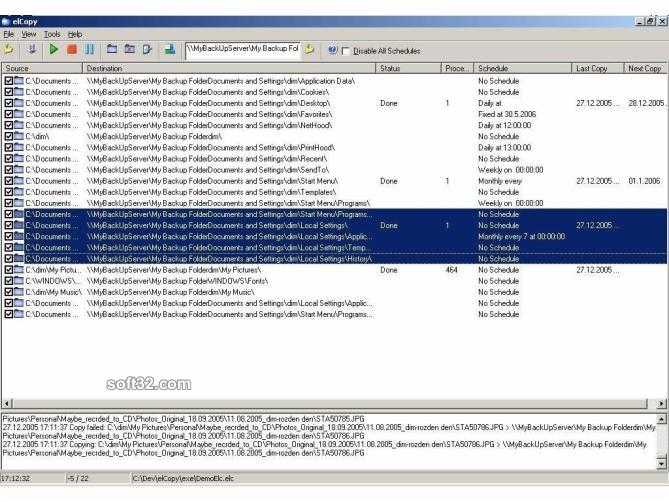
elCopy is backup tool for making safe copies of files and folders by schedule entries , where the user can specify, different types of schedules: fixed in time, daily, hourly, weekly, monthly, schedule times. The program can copy, replicate, start custom actions by schedule defined by the user. elCopy stays in the tray bar, where quietly waits for the next scheduled time in order to do the action for easy backup, in case work files are lost. By the functionality of additional run action - before backup and or after backup the user may create additional backup actions like compressing or anything he likes. The program works with .INI style files (*.ELC) that in case of need can be modified (if needed) by 3-rd party program or script, like notepad for example. Additionally the program has a customizable language interface - each caption can be translated or modified by the customer needs. The authors constantly upgrade the Available Languages.



 Windows XP and above
 View Screenshots(3)
 Comments
 Download




 Similar Software


 Recently Searched
 Software Categories
 Trending Software


 Like Us

