Works on: Windows 10 | Windows 8.1 | Windows 8 | Windows 7 | Windows XP | Windows 2000 | Windows 2003 | Windows 2008 | Windows Vista | Windows 2012 SHA1 Hash: 5acbf90a50728a3a3740c95829e2c576d54cbbb3 Size: 3.29 MB File Format: msi
Rating: 2.4
out of 5
based on 23 user ratings
Downloads: 177 License: Free
eLibrary is a free software by eLibrary and works on Windows 10, Windows 8.1, Windows 8, Windows 7, Windows XP, Windows 2000, Windows 2003, Windows 2008, Windows Vista, Windows 2012.
You can download eLibrary which is 3.29 MB in size and belongs to the software category Home and Education. eLibrary was released on 2009-10-19 and last updated on our database on 2017-04-22 and is currently at version 2.5.
Thank you for downloading from SoftPaz! Your download should start any moment now. It would be great if you could rate and share:
Rate this software:
Share in your network:
eLibrary Description
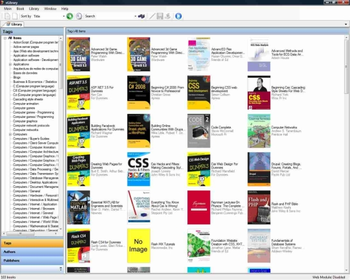
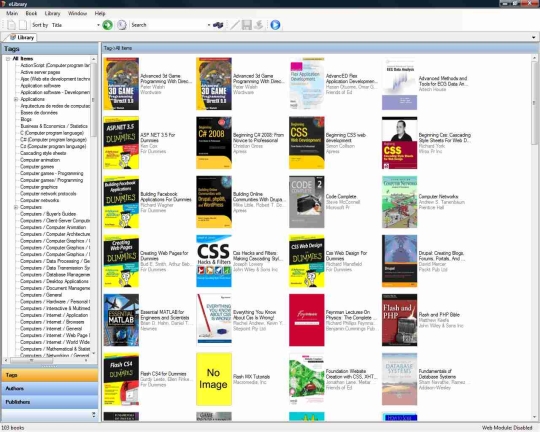
eLibrary is the electronic books library organizer. Catalog, tag and search your books database with ease. The books info is downloaded using the ISBN, which you can be enter manually, or let the application guess it. Guessing is done by either searching the book on google, amazon or (only for PDF) scanning the text for the ISBN, thus allowing you to quickly load books into the app. More cool features: XML based Tag Tree which can be edit from within the UI or manually, search & Sort by title, author and publisher, directory monitor that scans for new books and automatically prompts to add them. Also, eLibrary has web module for remote access.
Whats new in this version:
Version 2.5.13 adds the following features: tabbed split UI allowing to view several books; automatic book tagging via google books project; books browsing according to authors and publisher.



 Windows XP and above
 View Screenshots(1)
 Comments
 Download




 Similar Software


 Recently Searched
 Software Categories
 Trending Software

 Like Us


