Version: 4.7 Last Updated: 16 Apr 2017 Release: 09 Nov 2012 Category: Network Tools
Rate this software:
177 downloads
View Screenshots(3)
Comments
Download
Liked it? Tell others:
EMCO Ping Monitor Professional Details
Works on: Windows 10 | Windows 8.1 | Windows 8 | Windows 7 | Windows XP | Windows 2000 | Windows 2003 | Windows 2008 | Windows Vista | Windows 2012 SHA1 Hash: 50b4d3b81c55cf9f46d299b0f30f35c5f2c0c511 Size: 42.58 MB File Format: exe
Rating: 1.8
out of 5
based on 23 user ratings
Publisher Website: External Link Downloads: 177 License: Demo / Trial Version
EMCO Ping Monitor Professional is a demo software by Emco Software and works on Windows 10, Windows 8.1, Windows 8, Windows 7, Windows XP, Windows 2000, Windows 2003, Windows 2008, Windows Vista, Windows 2012.
You can download EMCO Ping Monitor Professional which is 42.58 MB in size and belongs to the software category Network Tools. EMCO Ping Monitor Professional was released on 2012-11-09 and last updated on our database on 2017-04-16 and is currently at version 4.7.
Thank you for downloading from SoftPaz! Your download should start any moment now. It would be great if you could rate and share:
Rate this software:
Share in your network:
EMCO Ping Monitor Professional Description
Ping Monitor is an automatic tool for tracking connections with hosts, located in the local network and Internet. It detects connections statuses by sending regular pings and analyzing responses. If pings to host are failed a defined number of times in a row, application detects and reports a connection outage.
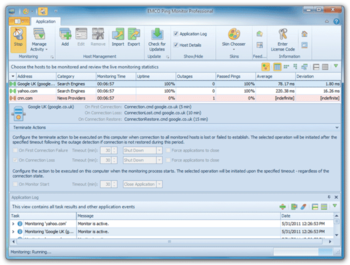
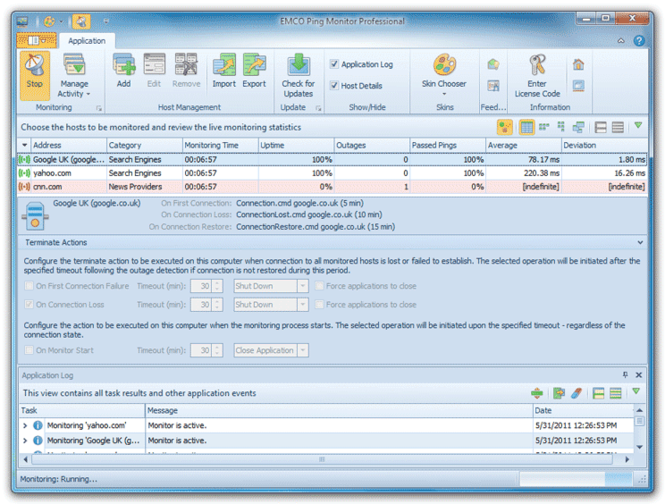
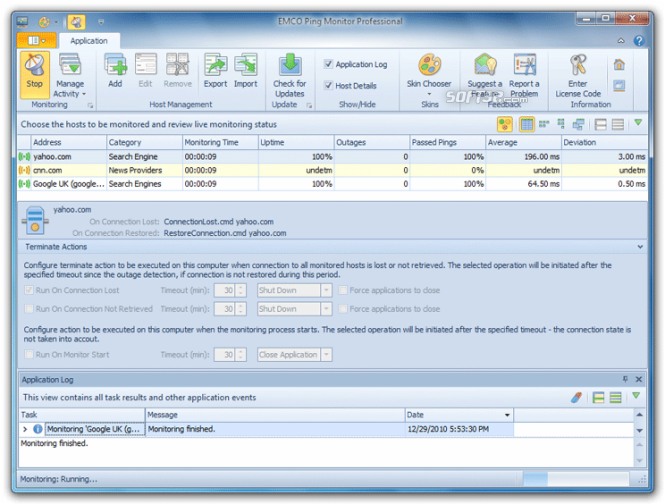
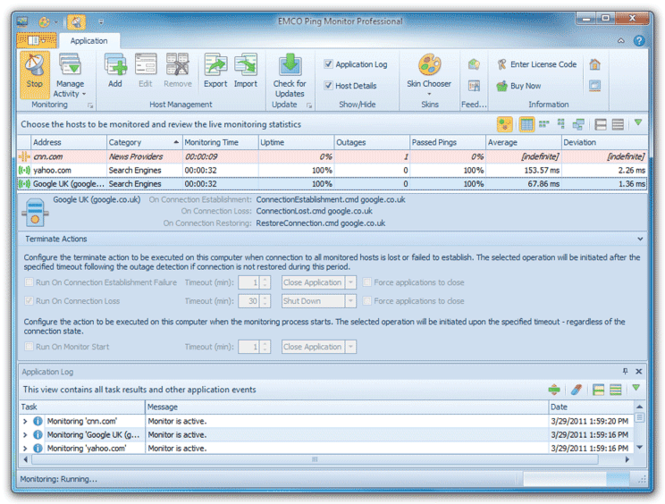
Ping Monitor can work in 24/7 mode to track the connections states and calculate connections statistics, which is reported on the main screen. Displayed parameters for every host include monitoring time, uptime percentage, total number of detected outages, percent of passed pings and ping statistics. This information can be used to evaluate the quality and stability of the connection.
In addition to monitoring features, Ping Monitor offers an extended notifications and reporting functionality. You can configure the application to report connection lost, restore events and ping statistics as messages in a System Tray area or to send correspondent notifications by e-mail.
If required, you can extend functionality of the application and setup custom event handlers for execution on connections lost and restore events. Any command or executable file with optional command-line parameters can be defined as the event handler. Also it's possible to activate special terminate actions when connections to all monitored hosts are lost or cannot be retrieved during defined period of time. This feature allows you to make shutdown, reboot, hibernate and logoff operations on computer where Ping Monitor is launched.
Where to buy?
Last updated price and discount information 9 years agoupdate now



 Windows XP and above
 View Screenshots(3)
 Comments
 Download





 Similar Software


 Recently Searched
 Software Categories
 Trending Software
 Like Us


