Emicsoft MP4 WMV MPEG AVI to FLV Converter Details
Works on: Windows 10 | Windows 8.1 | Windows 8 | Windows 7 | Windows 2012 SHA1 Hash: 0c3c3c2c6468a97c1f46d83cecae15505a006a01 Size: 8.62 MB File Format: exe
Rating: 1.8
out of 5
based on 23 user ratings
Publisher Website: External Link Downloads: 274 License: Demo / Trial Version
Emicsoft MP4 WMV MPEG AVI to FLV Converter is a demo software by Emicsoft Studio and works on Windows 10, Windows 8.1, Windows 8, Windows 7, Windows 2012.
You can download Emicsoft MP4 WMV MPEG AVI to FLV Converter which is 8.62 MB in size and belongs to the software category Audio Editors Convertors Mixers. Emicsoft MP4 WMV MPEG AVI to FLV Converter was released on 2011-02-10 and last updated on our database on 2017-03-07 and is currently at version 4.
Thank you for downloading from SoftPaz! Your download should start any moment now. It would be great if you could rate and share:
Rate this software:
Share in your network:
Emicsoft MP4 WMV MPEG AVI to FLV Converter Description
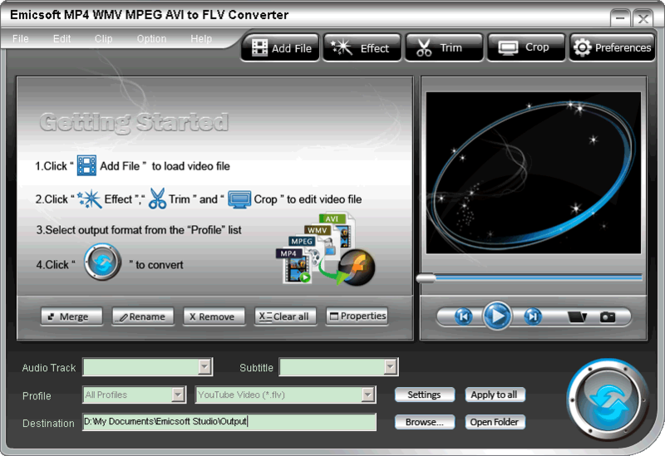
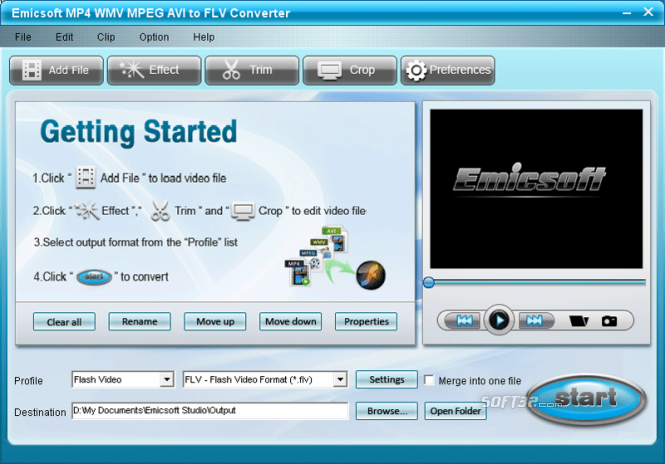
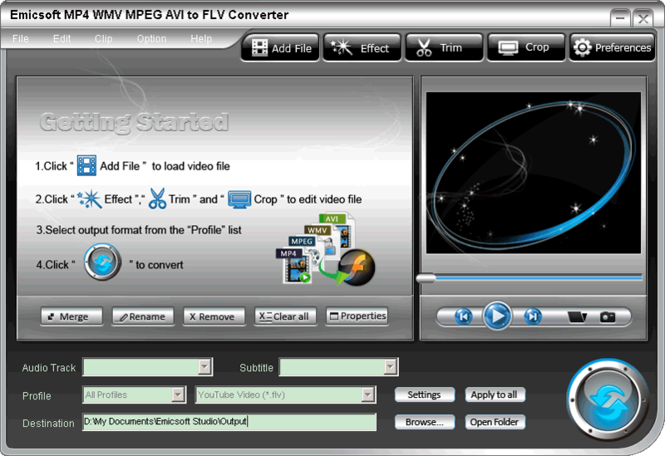
Emicsoft MP4 WMV MPEG AVI to FLV Converter is a professional FLV video maker which could help YouTube fans easily make FLV video from popular video formats including TS, MTS, M2TS, MPEG-1, MPEG-2, M4V, MPEG-4, RM, RMVB, WMV, ASF, MKV, AVI, 3GP, MOD, TOD, MOV and so forth. You could upload FLV videos to YouTube and show off recorded videos with friends.
If you need to brighten the video or trim file for better playing effect, Emicsoft MP4 WMV MPEG AVI to FLV Converter can also work perfectly. With the Converter, you can split file into small clips, crop video aspect ratio, reset video playing effect, capture pictures from previewing video and merge all files into one. All these functions are dedicated to let you create your desired video/audio file at will.
Key Features:
1. With the FLV Converter, the only aim is to make breathtaking FLV videos of which you can be proud and share them with your friends.
2. Just take full advantage of provided preview screens. After files added, you can watch them on preview screen. When editing video file, you can get the contrast on original preview screen and output preview screen.
3. Edit file at ease with Trim, Crop and Effect functions. You can trim the exact video length you like, reset aspect ratio, and adjust video effect.
4. Deinterlacing function on Effect window is to eliminate mosaic when you convert interlaced videos.
5. When previewing videos, you can capture beautiful pictures from video and save as GIF, JPG or BMP.
6. Merge function can join multiple files into one. For example, you can add several clips of one movie at the same time and merge them into a whole movie.
7. With just a few clicks, you could quickly finish all converting tasks for the FLV Converter is known for its friendly interface and easy-to-operate design.
It is not enough to just enjoy videos created by other people on YouTube.com. Come on to make individualized videos by yourself with Emicsoft MP4 WMV MPEG AVI to FLV Converter.
Where to buy?
Last updated price and discount information 9 years agoupdate now



 Windows 7 and above
 View Screenshots(3)
 Comments
 Download





 Similar Software


 Recently Searched
 Software Categories
 Trending Software


 Like Us

