Version: 1.1 Last Updated: 23 Apr 2017 Release: 09 Nov 2011 Category: Multimedia > Video
Rate this software:
92 downloads
View Screenshots(1)
Comments
Download
Liked it? Tell others:
EnJoy Player Details
Works on: Windows 10 | Windows 8.1 | Windows 8 | Windows 7 | Windows XP | Windows 2000 | Windows 2003 | Windows 2008 | Windows Vista | Windows 2012 SHA1 Hash: d753a2fef20a830df4448739fcf82c66e6ae96c0 Size: 1.45 MB File Format: zip
Rating: 2.1
out of 5
based on 23 user ratings
Publisher Website: External Link Downloads: 92 License: Demo / Trial Version
EnJoy Player is a demo software by Provident Designs and works on Windows 10, Windows 8.1, Windows 8, Windows 7, Windows XP, Windows 2000, Windows 2003, Windows 2008, Windows Vista, Windows 2012.
You can download EnJoy Player which is 1.45 MB in size and belongs to the software category Video. EnJoy Player was released on 2011-11-09 and last updated on our database on 2017-04-23 and is currently at version 1.1.
Thank you for downloading from SoftPaz! Your download should start any moment now. It would be great if you could rate and share:
Rate this software:
Share in your network:
EnJoy Player Description
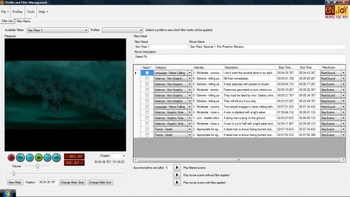
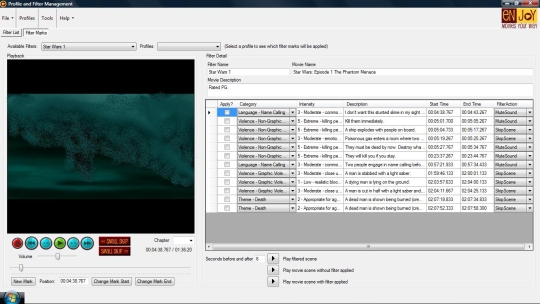
enJoy Movies Your Way -- Movie Filtering Software that puts parents in control.Parents, have you ever wished you could skip inappropriate scenes in movies that your children are watching? With our software program, now you can enJoy Movies Your Way by skipping scenes or muting sound in any scene!1. Put a DVD movie in your computer.2. Run the enJoy program.3. The first time, set filter marks for inappropriate scenes.4. Choose a Profile to set the intensity level.5. enJoy the show!Many parents think todays movies contain too much violence, sexual content, offensive language, and inappropriate themes for young viewers. Now, the enJoy Movies Your Way software gives parents total control over what their children see and hear.Parents can create filter marks to bookmark potentially inappropriate scenes, then rate each scene according to its intensity level. Filter marks only need to be created once.Parents then create a profile for each family member, setting appropriate intensity levels. For example, Dad can set his violence comfort level to 5 (extreme), while little Susies comfort level is 2 (mild). Dad would see aggressive conflict but Susie would not. There are over 10 categories available, including violence, sexual content, offensive language, and drug use.When playing a DVD movie on the computer, parents just select the profile of the youngest viewer and the family can enJoy the show!enJoy Movies Your Way is a low-cost, full-featured solution that puts parents back in control!
Where to buy?
Last updated price and discount information 9 years agoupdate now



 Windows XP and above
 View Screenshots(1)
 Comments
 Download





 Similar Software


 Recently Searched
 Software Categories
 Trending Software
 Like Us


