Works on: Windows 10 | Windows 8.1 | Windows 8 | Windows 7 | Windows XP | Windows 2000 | Windows 2003 | Windows 2008 | Windows 98 | Windows ME | Windows Vista | Windows 2012 SHA1 Hash: f12d500a9b27f1ec49e4fa5990376ca285678d8c Size: 8.08 MB File Format: exe
Rating: 2.1
out of 5
based on 23 user ratings
Publisher Website: External Link Downloads: 272 License: Demo / Trial Version
ePub Drm Removal is a demo software by Epubor and works on Windows 10, Windows 8.1, Windows 8, Windows 7, Windows XP, Windows 2000, Windows 2003, Windows 2008, Windows 98, Windows ME, Windows Vista, Windows 2012.
You can download ePub Drm Removal which is 8.08 MB in size and belongs to the software category E-Book. ePub Drm Removal was released on 2011-07-02 and last updated on our database on 2017-04-16 and is currently at version 1.4.
Thank you for downloading from SoftPaz! Your download should start any moment now. It would be great if you could rate and share:
Rate this software:
Share in your network:
ePub Drm Removal Description
Epubor ePUB DRM Removal is a powerfull software to remove DRM protections from adobe digital editions with no quality losing. Just remove the ePUB files DRM header, no change on the files. Read the ePUB on iPad, iPhone, iTouch, Sony Reader, Android, Nook etc.
Remove DRM from tens of ePUB files one time, no need to one by one!
#Epubor ePUB DRM RemvoalFeatures:
The first Epubor ePUB DRM Removal software enables you remove DRM from ePUB with one clicks, helps you remove DRM from adobe digital editions ePUB as easy as ABC.
*No quality losing;
Epubor ePUB DRM Removal just remove DRM from ePUB files header, no quality losing.
*Decrypt ePUB DRM from whole folder;
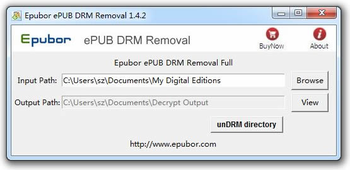
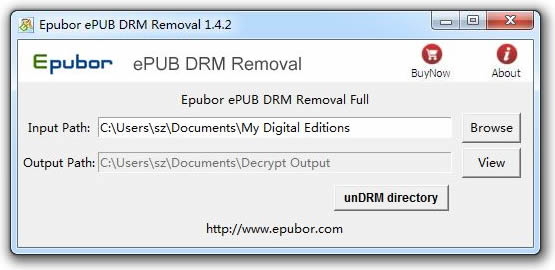
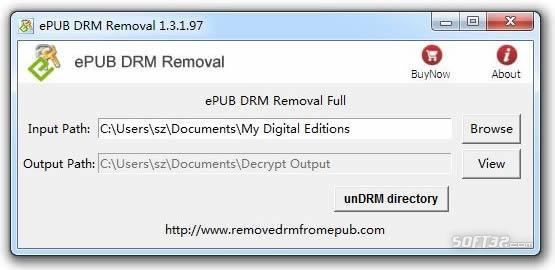
Many user purchased many ePUB ebooks online, you do not need to remove DRM from ePUB one by one, use Epubor ePUB DRM Removal, one time to decrypt ePUB DRM from whole ebooks folder. just choose the folder "My Documents\My Digital Editions", click unDRM directory, then unDrm a whole folder's ePUB file.
*Easy to use;
Anybody can use this easy-to-use program: Click "unDrm Directory",need 1-Click.
How to Remove DRM from ADEPT ePub:
1. Install Adobe Digital Editions (ADE) 1.7.1, and authorize you copy;
ADE is supported by Sony Reader, Nook, iPad, iPod, Kobo etc
2. Install ePUB DRM Remvoal;
Click "unDrm directory", then remove DRM from ePUB files all the folder.
You can also click "browse" button to choose your ePUB input folder. You'll find it in "My Documents\My Digital Editions".
If you just can't find the ePUB ebook, open Adobe Digital Editions and find the path in the properties of the ebook.
If want to convert the epub, download Calibre!
Where to buy?
Last updated price and discount information 9 years agoupdate now



 Windows 98 and above
 View Screenshots(2)
 Comments
 Download





 Similar Software


 Recently Searched
 Software Categories
 Trending Software


 Like Us

