Version: 1 Last Updated: 22 Apr 2017 Release: 06 Oct 2010 Category: System
Rate this software:
127 downloads
View Screenshots(1)
Comments
Download
Liked it? Tell others:
ES Auto Shutdown Scheduler Details
Works on: Windows 10 | Windows 8.1 | Windows 8 | Windows 7 | Windows XP | Windows 2000 | Windows 2003 | Windows 2008 | Windows Vista | Windows 2012 SHA1 Hash: 2bd46d1a8efe865aebb9fb8792025c0cd68f445a Size: 1.39 MB File Format: exe
Rating: 2.0
out of 5
based on 23 user ratings
Publisher Website: External Link Downloads: 127 License: Demo / Trial Version
ES Auto Shutdown Scheduler is a demo software by Ezikial Software and works on Windows 10, Windows 8.1, Windows 8, Windows 7, Windows XP, Windows 2000, Windows 2003, Windows 2008, Windows Vista, Windows 2012.
You can download ES Auto Shutdown Scheduler which is 1.39 MB in size and belongs to the software category System. ES Auto Shutdown Scheduler was released on 2010-10-06 and last updated on our database on 2017-04-22 and is currently at version 1.
Thank you for downloading from SoftPaz! Your download should start any moment now. It would be great if you could rate and share:
Rate this software:
Share in your network:
ES Auto Shutdown Scheduler Description
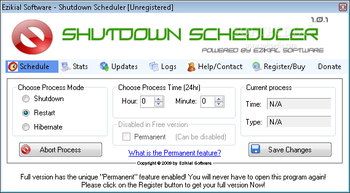
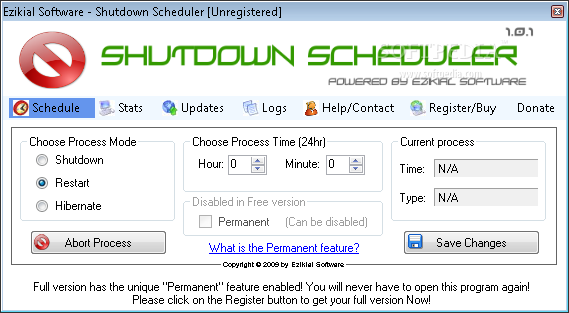
Made with effective power saving capability, this tool proves to drastically save on your power consumption. Saves you time - Just schedule a process and forget about it. Let your computer auto (automatically) shutdown. Flexible & adaptable - Change or delete a scheduled process at any time. Never before seen "Permanent" feature allowing you to schedule a process (shutdown, restart, hibernate or log off) at a specific time to run every single day without having to run the main interface application of ES Shutdown Scheduler. This allows you to schedule a shutdown at 11pm every day and never have to worry about scheduling it again. Note: The permanent feature can be disabled at any timeEasy to use interface will provide even the most novice user with a comfortable experienceNew Feature that allows you to schedule a shutdown, restart, hibernate even when your computer is logged off. Low on resources, sub application runs as a service so you never see or notice it running. But in fact it is running as soon as you turn your PC on.
Where to buy?
Last updated price and discount information 9 years agoupdate now



 Windows XP and above
 View Screenshots(1)
 Comments
 Download





 Similar Software


 Recently Searched
 Software Categories
 Trending Software

 Like Us

