Works on: Windows 10 | Windows 8.1 | Windows 8 | Windows 7 | Windows XP | Windows 2000 | Windows 2003 | Windows 2008 | Windows 98 | Windows ME | Windows NT | Windows Vista | Windows 2012 SHA1 Hash: 08eab0575b6dd8257348627c21216a50582d2fac Size: 3.59 MB File Format: exe
Rating: 2.5
out of 5
based on 23 user ratings
Publisher Website: External Link Downloads: 1634 License: Demo / Trial Version
Excel Add-In for SharePoint is a demo software by CData and works on Windows 10, Windows 8.1, Windows 8, Windows 7, Windows XP, Windows 2000, Windows 2003, Windows 2008, Windows 98, Windows ME, Windows NT, Windows Vista, Windows 2012.
You can download Excel Add-In for SharePoint which is 3.59 MB in size and belongs to the software category Customer Management. Excel Add-In for SharePoint was released on 2016-03-28 and last updated on our database on 2017-04-27 and is currently at version 5816.
Thank you for downloading from SoftPaz! Your download should start any moment now. It would be great if you could rate and share:
Rate this software:
Share in your network:
Excel Add-In for SharePoint Description
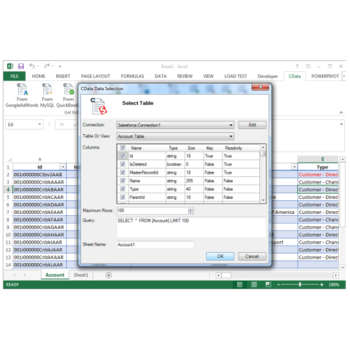
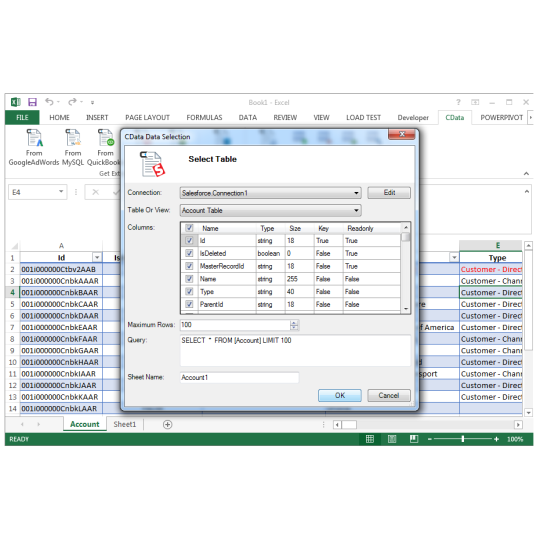
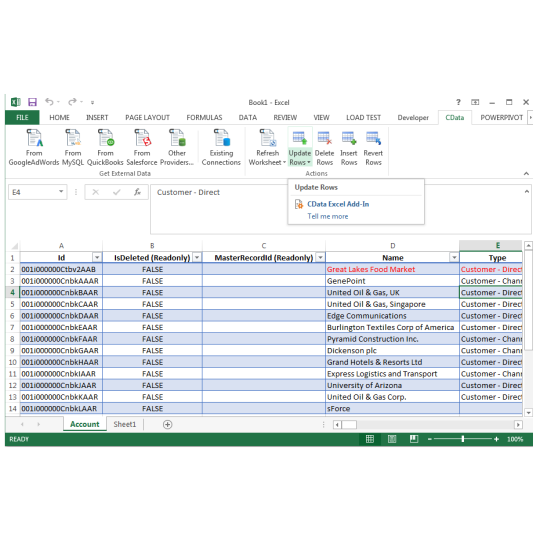
The SharePoint Excel Add-In is a powerful tool that allows you to connect with live data from SharePoint and SharePoint Online, directly from Microsoft Excel. Use Excel to read, write, and update SharePoint Lists, Contacts, Calendar, Links, Tasks, etc. Perfect for mass imports / exports / updates, data cleansing & de-duplication, Excel based data analysis, and more! Users simply supply their credentials via the connection wizard to create a connection and can immediately begin working with live Microsoft SharePoint tables of data. *Key Features: -Completely self-contained; no additional software installation is required. -The Excel Add-In for SharePoint is integrated with the Excel toolbar and ribbon, providing direct access to live data with a single click. -Modify and delete Records. -Quickly export and backup data. -Operate on data with Charts and Pivot Tables. *Easy-To-Use, Straightforward Configuration: 1-Install the Add-In 2-Login with User & Password 3-Select Tables Installing any of the Excel Add-Ins creates a new CData data access toolbar in Excel that users can access to connect to remote data. From the Excel toolbar, users can select any of the installed CData Add-Ins to configure a connection. Once the data connection is configured, just specify the table and the Excel Add-In will populate a new Excel sheet with live Microsoft SharePoint Data.
Where to buy?
Last updated price and discount information 9 years agoupdate now



 Windows NT and above
 View Screenshots(2)
 Comments
 Download





 Similar Software


 Recently Searched
 Software Categories
 Trending Software
 Like Us


