Works on: Windows 10 | Windows 8.1 | Windows 8 | Windows 7 | Windows 2012 SHA1 Hash: 51b92883fc34b3b4921eb6e2a8bddde1b54a14dc Size: 588 bytes File Format: exe
Rating: 1.8
out of 5
based on 23 user ratings
Downloads: 224 License: Free
ExInsight for Microsoft Exchange is a free software by Bitrunes Software and works on Windows 10, Windows 8.1, Windows 8, Windows 7, Windows 2012.
You can download ExInsight for Microsoft Exchange which is 588 bytes in size and belongs to the software category Network Monitoring. ExInsight for Microsoft Exchange was released on 2009-08-06 and last updated on our database on 2017-04-16 and is currently at version 1.1.
Thank you for downloading from SoftPaz! Your download should start any moment now. It would be great if you could rate and share:
Rate this software:
Share in your network:
ExInsight for Microsoft Exchange Description
ExInsight is a monitoring and statistics tool that provides a real-time view of the internals of Exchange Server transactions and allows you to evaluate individual user's usage of Exchange Server.
This tool is especially useful for Exchange administrators and developers. By using this tool, you can gather real-time data about the users in an Exchange environment and learn more about the inner workings of MAPI, OWA, POP3, IMAP4, NNTP and other protocols.
ExInsight enables administrators to view statistical information about individual users' consumptions of Exchange Server resources and the users' actual experiences. Shown on a user-by-user basis, this tool allows you to see the following information:
- Protocols used by the clients
- CPU usage (CPU time, CPU percentage)
- Number of messages sent, received or created
- IP addresses used by the clients (only for MAPI clients)
- Microsoft Outlook versions and mode, such as Cached Exchange Mode and the classic online mode
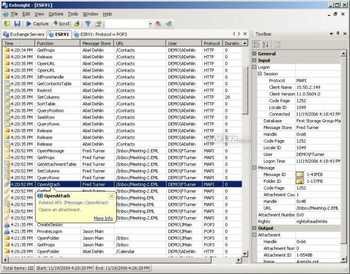
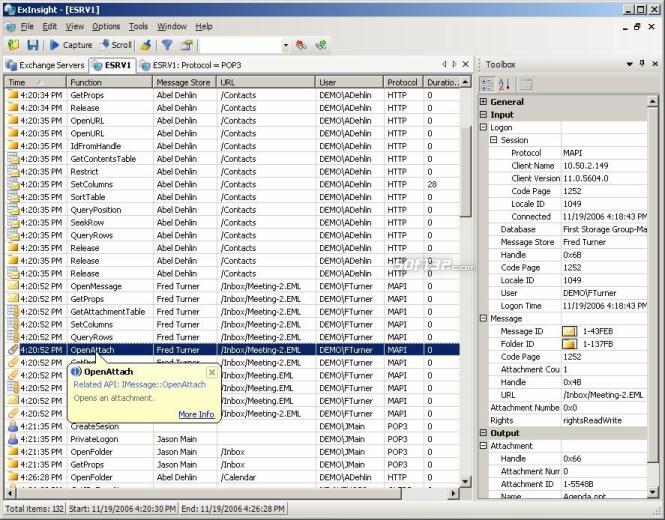
Also this tool is capable of displaying a continuous communication between any computer and Exchange Server, helping to guide troubleshooting of applications that depend on Exchange. You can view and log every Exchange Server transaction, applying filters and highlighting to pinpoint trouble areas.
ExInsight shows accounts requesting the data, the names and locations of the objects queried in Exchange, timings and transaction results; provides simplified summaries and links with detailed diagnostic information for each transaction.



 Windows 7 and above
 View Screenshots(1)
 Comments
 Download




 Similar Software


 Recently Searched
 Software Categories
 Trending Software
 Like Us


