Works on: Windows 10 | Windows 8.1 | Windows 8 | Windows 7 | Windows 2008 | Windows Vista | Windows 2012 SHA1 Hash: 2de63e6397005edc42b2d25be3b00b2f7f3743bd Size: 497.21 KB File Format: zip
Rating: 2.1
out of 5
based on 23 user ratings
Downloads: 187 License: Free
eYeMan is a free software by eYeMan Software and works on Windows 10, Windows 8.1, Windows 8, Windows 7, Windows 2008, Windows Vista, Windows 2012.
You can download eYeMan which is 497.21 KB in size and belongs to the software category Remote Utils. eYeMan was released on 2010-08-18 and last updated on our database on 2017-04-22 and is currently at version 0.9.
Thank you for downloading from SoftPaz! Your download should start any moment now. It would be great if you could rate and share:
Rate this software:
Share in your network:
eYeMan Description
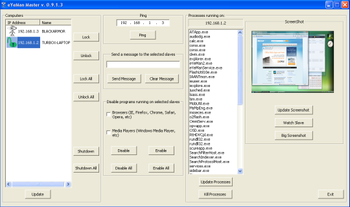
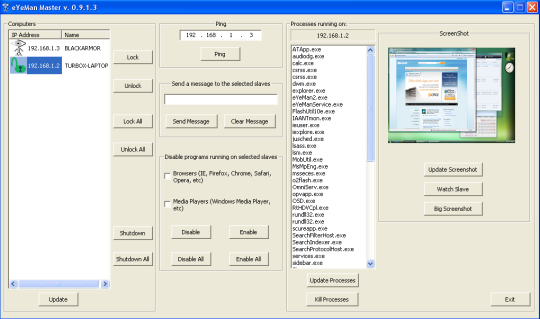
eYeMan software works over a LAN and offers the ability to one PC (the Master) to control the other PCs (the Slaves). The software consists of two parts: the controlling program that must be installed on the Master and the listening program that must be installed on the Slaves. Master can perform the following tasks: Lock/Unlock one or many slaves. Lock means the slaves keyboard and mouse are disabled and the screen displays a full screen window. There is no way for the slavess user to overcome the Lock situation. He can only press the ON/OFF button to shutdown/hibernate/standby the PC (if try to restart/wake/boot up, then the PC starts in Locked mode again). View slaves screen. Take a screenshot of slaves monitor or watch live his screen. View processes running on slave and kill selected processes. Prevent programs from running on slaves. You can select all browsers and/or all media players or you can specify the programs to prevent from running. Shutdown slaves remotely. Send a message to one or more locked slaves.



 Windows Vista and above
 View Screenshots(1)
 Comments
 Download




 Similar Software


 Recently Searched
 Software Categories
 Trending Software

 Like Us


