Works on: Windows 10 | Windows 8.1 | Windows 8 | Windows 7 | Windows XP | Windows 2000 | Windows 2003 | Windows 2008 | Windows Vista | Windows 2012 SHA1 Hash: bc0f2b77d99ab02f4baa89af757df6926c44fd39 Size: 361.51 KB File Format: exe
Rating: 2.2
out of 5
based on 23 user ratings
Publisher Website: External Link Downloads: 120 License: Demo / Trial Version
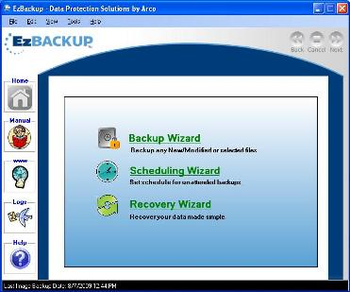
EzBackup is a demo software by Data Protection Solutions By Arco and works on Windows 10, Windows 8.1, Windows 8, Windows 7, Windows XP, Windows 2000, Windows 2003, Windows 2008, Windows Vista, Windows 2012.
You can download EzBackup which is 361.51 KB in size and belongs to the software category Backup and Recovery. EzBackup was released on 2011-09-22 and last updated on our database on 2017-03-06 and is currently at version 5.
Thank you for downloading from SoftPaz! Your download should start any moment now. It would be great if you could rate and share:
Rate this software:
Share in your network:
EzBackup Description
1st Backup Methodology
This methodology offers backup to a dedicated local hard disk. There are three variations available which all involve a complete and reliable copy of your original hard drive to a dedicated hard drive, including the operating system and installed programs, without having to reinstall and reconfigure all of your software.
? Image Backup: This option literally creates an exact image of the chosen source drive without setting
the incremental volume for modified data.
? Image and Modified Data Update (Mirroring): This option first creates an image backup of your chosen source
drive. Backups can be run automatically, as a schedule, or manually, and all data written to your source drive will
be mirrored (written) to your backup drive. Additionally, any file deleted from your source drive will also be
deleted from the backup drive, keeping the drives exactly alike.
? Image and Incremental Data: First, EzBackup creates an image of the selected source drive. From this
point on, all modified data will be stored in an incremental volume. This allows EzBackup to build a library of all data
modified at specific points. It means that you can restore data from a specific date and time!
2nd Backup Methodology
This methodology offers backup to a shared location either locally or the network. There are two variations available:
? Image to File VHD (Virtual Hard Disk). This is a compressed file that contains a reliable copy of your original hard disk, including operating system and installed programs.
? The second option is a complete File Backup.
Recovery is a breeze with EzBackup, even under the harshest of hardware failures! You can recover your system to your original disk or to different hard disk. If you're looking to recover just a specific file or folder, you can extract it from backup drive or from the VHD file without the need to restore everything! EzBackup will get you back up and running in no time!
Where to buy?
Last updated price and discount information 9 years agoupdate now



 Windows 2000 and above
 View Screenshots(1)
 Comments
 Download





 Similar Software


 Recently Searched
 Software Categories
 Trending Software

 Like Us

