Works on: Windows 10 | Windows 8.1 | Windows 8 | Windows 7 | Windows XP | Windows 2000 | Windows 2003 | Windows 2008 | Windows Vista | Windows 2012 SHA1 Hash: 7cbe2cc085ba4db0c733ab73e49df64572c489e6 Size: 14.43 MB File Format: exe
Rating: 1.9
out of 5
based on 23 user ratings
Publisher Website: External Link Downloads: 147 License: Demo / Trial Version
EzBackup101 is a demo software by Data Protection Solutions By Arco and works on Windows 10, Windows 8.1, Windows 8, Windows 7, Windows XP, Windows 2000, Windows 2003, Windows 2008, Windows Vista, Windows 2012.
You can download EzBackup101 which is 14.43 MB in size and belongs to the software category File Management. EzBackup101 was released on 2008-09-10 and last updated on our database on 2017-03-06 and is currently at version 1.
Thank you for downloading from SoftPaz! Your download should start any moment now. It would be great if you could rate and share:
Rate this software:
Share in your network:
EzBackup101 Description
EzBackup101 is designed especially for people who don't know a lot about computers. It's not confusing or complicated and doesn't fill your screen with all kinds of geeky stuff. Just install it, point it to your backup drive (such as an external USB drive) and you're good to go. Set up your own backup schedule if you prefer, backup manually, or just do nothing. EzBackup101 will automatically backup all of your new and changed files at the same time every day.
Automatic backup guarantees that your files get copied to your backup drive and will be available if you need to restore them. That means you don't have to remember to backup. You don't have to manually start a backup and then sit around unable to access your computer or do your work until it's finished. You work on your computer. EzBackup101 runs its backups in the background. Your data files get backup protection.
If you make a mistake and delete a file you really need or if a file becomes corrupted and unreadable, EzBackup101 can copy a saved version back to your computer. EzBackup101 doesn't overwrite your earlier backups with your new ones. It maintains multiple dated copies. If your Quicken file becomes corrupted and unusable on Wednesday, for example, you'll have a copy of Monday or Tuesday's uncorrupted version to restore from.
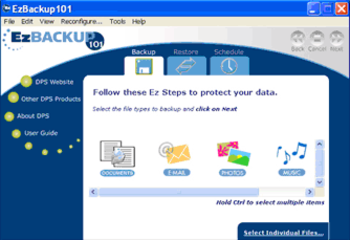
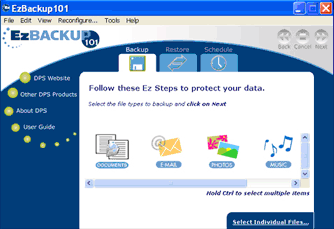
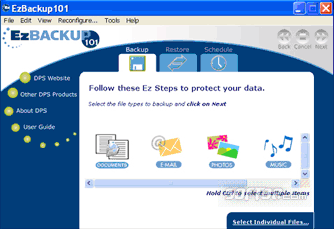
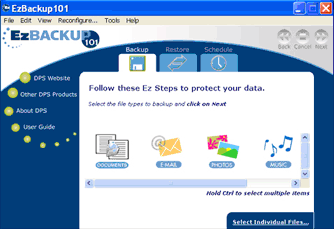
EzBackup101 is an easy backup software to use but it's also a powerful backup tool. You don't HAVE to do anything but there are lots of things you can do if you want to. You can select individual files and folders or use the handy file type icons representing your email files, music, photos, videos and documents to set up your own automatic backup schedules. Or, create and save job lists and use them to backup manually any time. If you've got one of those one-touch backup drives, you can start a backup by just pushing the button. If you want to permanently archive certain files, you can write them to CD or DVD.
Where to buy?
Last updated price and discount information 9 years agoupdate now



 Windows XP and above
 View Screenshots(3)
 Comments
 Download





 Similar Software


 Recently Searched
 Software Categories
 Trending Software

 Like Us


