Works on: Windows 10 | Windows 8.1 | Windows 8 | Windows 7 | Windows XP | Windows 2000 | Windows 2003 | Windows 2008 | Windows Vista | Windows 2012 SHA1 Hash: f15478f1f99a4f0e3cdb6662b2c6a0e8f0a4b0d5 Size: 1.12 MB File Format: zip
Rating: 2.2
out of 5
based on 23 user ratings
Publisher Website: External Link Downloads: 115 License: Demo / Trial Version
FileCarver is a demo software by Fizzysoft and works on Windows 10, Windows 8.1, Windows 8, Windows 7, Windows XP, Windows 2000, Windows 2003, Windows 2008, Windows Vista, Windows 2012.
You can download FileCarver which is 1.12 MB in size and belongs to the software category File Editors. FileCarver was released on 2008-07-07 and last updated on our database on 2017-03-07 and is currently at version 1.5.
Thank you for downloading from SoftPaz! Your download should start any moment now. It would be great if you could rate and share:
Rate this software:
Share in your network:
FileCarver Description
FileCarver is a powerful developer tool for editing structured binary files. FileCarver increases productivity by allowing the developer to write simple XML file format definitions to quickly prototype and implement GUI editors for binary files.
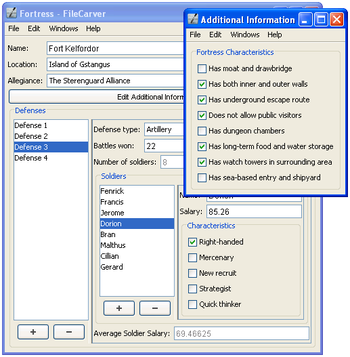
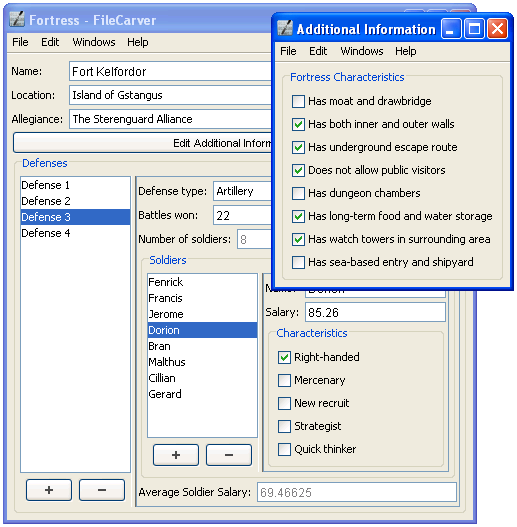
Each XML file format definition describes the structure of a particular file format, which FileCarver then uses to automatically build a rich, graphical user interface for opening, viewing, editing, saving, and creating new files in that format. Editing binary files has never been this easy.
Whether you're adding binary file support into your new or existing application, and don't want to waste your time building a custom editor or viewer for its data files, or if you are required to deal with legacy file formats, FileCarver has you covered.
FileCarver is a superior solution compared to the traditional ways of editing binary files, such as creating custom programs, or using a hex editor. While custom programs allow you to create rich user interfaces to edit binary files, just as FileCarver does, they require many man-hours of development time - efforts that could be better spent elsewhere. With FileCarver, the time to implement a fully fledged editor for a binary format is reduced significantly, as the developer only needs to write an XML file format definition.
If, on the other hand, you use a hex editor to edit your binary files, you have zero development time overhead. However, using a hex editor is extremely tedious to edit anything but the simplest file formats. With a hex editor, you must manually calculate the exact offset of the data you want to edit, as well as the format of the data you are changing. While this may be adequate for very light-use of editing binary files, it does not compare to FileCarver's ability to provide you with a complete, rich user interface - indistinguishable from a custom made program - to edit the binary file.
Where to buy?
Last updated price and discount information 9 years agoupdate now



 Windows XP and above
 View Screenshots(3)
 Comments
 Download





 Similar Software


 Recently Searched
 Software Categories
 Trending Software

 Like Us
