Works on: Windows 10 | Windows 8.1 | Windows 8 | Windows 7 | Windows XP | Windows 2000 | Windows 2003 | Windows 2008 | Windows Vista | Windows 2012 SHA1 Hash: 09bc5ccbcc24f358806887e4c0be49d452d091f6 Size: 50.34 KB File Format: unknown
Rating: 1.8
out of 5
based on 23 user ratings
Downloads: 1193 License: Free
FIP radio player is a free software by ROYER and works on Windows 10, Windows 8.1, Windows 8, Windows 7, Windows XP, Windows 2000, Windows 2003, Windows 2008, Windows Vista, Windows 2012.
You can download FIP radio player which is 50.34 KB in size and belongs to the software category Internet Radio Widgets. FIP radio player was released on 2007-02-16 and last updated on our database on 2017-02-19 and is currently at version 1.02.
Thank you for downloading from SoftPaz! Your download should start any moment now. It would be great if you could rate and share:
Rate this software:
Share in your network:
FIP radio player Description
Developed for the Yahoo! Widget Engine platform, FIP radio player is a small tool that provides direct access on your desktop to the French FIP radio station. It is easy to install and set up.
The interface of the utility is made from a small frame that you can move to any position on the screen, with the help of the mouse cursor.
You can click a button to bring up a webpage with a link to FIPradio.fr but, other than that, there are no options available in the primary window.
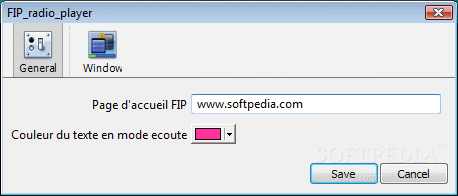
By opening the right-click menu you can access the Widget Preferences area to configure some settings. To be more specific, you can edit the radio station's URL, as well as switch to a different color for the frame background.
Thanks to the default settings provided by the Yahoo! Widget Engine, you can also enable the window to stay on top or below all the other frames, to ignore mouse events and to prevent dragging. Furthermore, you can set its opacity to a preset value, ranging between 20% and 100%.
FIP radio player does not put a strain on the computer's overall performance, since it uses a very low quantity of CPU and system memory. It has a good response time and works smoothly, without making the operating system hang, crash or pop up error dialogs. Thanks to its intuitive layout and overall simplicity, first-time users can quickly get adjusted to FIP radio player.




 Windows XP and above
 View Screenshots(2)
 Comments
 Download





 Similar Software


 Recently Searched
 Software Categories
 Trending Software


 Like Us


