Version: 4.9 Last Updated: 27 Apr 2017 Release: 28 Oct 2015 Category: Multimedia > Graphic
Rate this software:
254 downloads
View Screenshots(2)
Comments
Download
Liked it? Tell others:
FlipCreator Details
Works on: Windows 10 | Windows 8.1 | Windows 8 | Windows 7 | Windows XP | Windows 2000 | Windows 2003 | Windows 2008 | Windows Vista | Windows 2012 SHA1 Hash: 5328f71d6a3e2609614853a72f9d3d95b871eb4e Size: 31.88 MB File Format: exe
Rating: 1.9
out of 5
based on 23 user ratings
Publisher Website: External Link Downloads: 254 License: Demo / Trial Version
FlipCreator is a demo software by FlipCreator and works on Windows 10, Windows 8.1, Windows 8, Windows 7, Windows XP, Windows 2000, Windows 2003, Windows 2008, Windows Vista, Windows 2012.
You can download FlipCreator which is 31.88 MB in size and belongs to the software category Graphic. FlipCreator was released on 2015-10-28 and last updated on our database on 2017-04-27 and is currently at version 4.9.
Thank you for downloading from SoftPaz! Your download should start any moment now. It would be great if you could rate and share:
Rate this software:
Share in your network:
FlipCreator Description
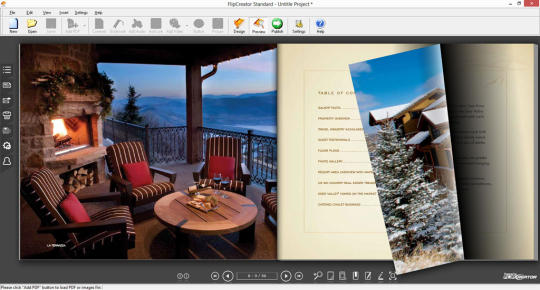
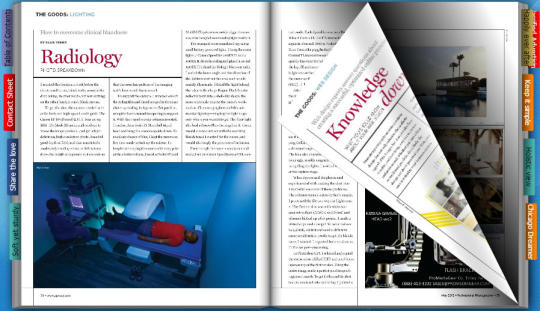
FlipCreator is a digital publishing software to create digital publication with page flipping effect for online and offline use. You can turn your PDF documents and image files into stunning digital publications in minutes. FlipCreator supports extracting hyperlinks and table of contents from PDF automatically. It allows you to modify the imported links and table of contents, or create your own links and table of contents. We also have bookmark feature, which enables you or your audience to add bookmarks to any pages of the publication. Another great feature is that FlipCreator integrated with Windows Explorer and allows you to finish the publications with just two mouse clicks. You can right-click on PDF files in Windows Explorer and select "Create digital publication with FlipCreator" menu item. Then the program will start and convert the selected PDF into digital publication automatically. FlipCreator supports command line and can be called from command line, bat file or your own application. With our easy to use interface, you can make a digital publication in a few mouse clicks! Even a new user, you can use FlipCreator within a couple of minutes without any special learning.
Whats new in this version:
Fixed bugs for Windows 10
Where to buy?
Last updated price and discount information 9 years agoupdate now



 Windows 2000 and above
 View Screenshots(2)
 Comments
 Download





 Similar Software


 Recently Searched
 Software Categories
 Trending Software
 Like Us


