Version: 4.1 Last Updated: 17 Apr 2017 Release: 07 Aug 2009 Category: Security > Encrypting
Rate this software:
181 downloads
View Screenshots(5)
Comments
Download
Liked it? Tell others:
Folder Castle Details
Works on: Windows 10 | Windows 8.1 | Windows 8 | Windows 7 | Windows 2012 SHA1 Hash: 616f179bc4384059431943a5e1c421ec7f7dadba Size: 1.14 MB File Format: exe
Rating: 2.3
out of 5
based on 23 user ratings
Publisher Website: External Link Downloads: 181 License: Demo / Trial Version
Folder Castle is a demo software by Magneticsoft and works on Windows 10, Windows 8.1, Windows 8, Windows 7, Windows 2012.
You can download Folder Castle which is 1.14 MB in size and belongs to the software category Encrypting. Folder Castle was released on 2009-08-07 and last updated on our database on 2017-04-17 and is currently at version 4.1.
Thank you for downloading from SoftPaz! Your download should start any moment now. It would be great if you could rate and share:
Rate this software:
Share in your network:
Folder Castle Description
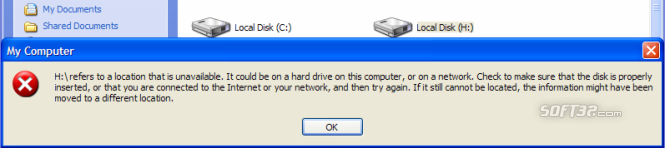
Folder Castle protects your data from thieves and snoopers. It provides two levels of protection: you can lock away files and folders, or you can put them into Secure Storage with on-the-fly AES-256 encryption. Whether you choose to lock away or put files into Secure Storage, you can be sure that they cannot be seen in Windows Explorer even if the computer is rebooted in Safe Mode. For more peace of mind, you can enter into the Windows Stealth Mode, which hides the presence of Folder Castle itself.
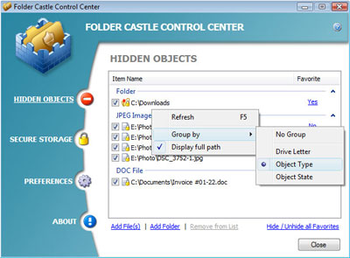
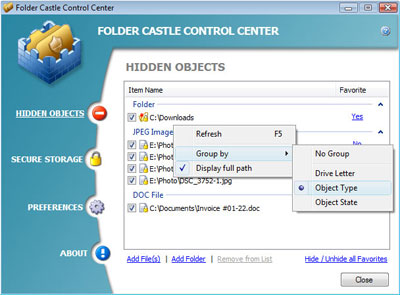
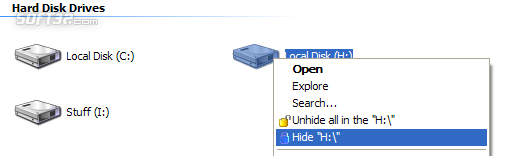
Folder Castle seamlessly integrates into Windows Explorer, including context menu, toolbar and hotkeys. Protecting data is fairly easy. Click on the file you want to protect, select the Hide option from its right-click menu and that's it. The same can be done from within Folder Castle. Run the program and use the Add File dialog or a simple drag and drop operation to add a file to the list of protected data. But that's not all! True touch typists are sure to appreciate the ability to protect files by using hotkeys. Unhiding files is just as easy. Run Folder Castle and remove files from the list. A password is needed to confirm each operation.
Folder Castle is a definite benefit for anyone who needs to keep certain files to themselves. Once protected, your personal information cannot be viewed, copied, deleted or seen by anyone who is unauthorized. Folder Castle also offers a practical and novel way to go anywhere with the protected data. Just create Secure Storage on the removable drive, put files in to it and you're free to roam the planet without the fear of data loss or theft. To get access to the files, plug the USB drive into the USB port, mount the drive and open the storage. The only condition is that another computer should also have Folder Castle installed. But it's not a problem if you register. The buyer of a single-user license is allowed to install Folder Castle on three computers - home, office and laptop. Isn't it nice, or what?
Where to buy?
Last updated price and discount information 9 years agoupdate now



 Windows 7 and above
 View Screenshots(5)
 Comments
 Download





 Similar Software


 Recently Searched
 Software Categories
 Trending Software

 Like Us
