Works on: Windows 10 | Windows 8.1 | Windows 8 | Windows 7 | Windows 2012 SHA1 Hash: dbcb51cf887818e28de487777478b2ee66114c2f Size: 2.32 MB File Format: exe
Rating: 2.4
out of 5
based on 23 user ratings
Downloads: 292 License: Free
Freelang Dictionary is a free software by Freelang and works on Windows 10, Windows 8.1, Windows 8, Windows 7, Windows 2012.
You can download Freelang Dictionary which is 2.32 MB in size and belongs to the software category Home and Education. Freelang Dictionary was released on 2016-07-01 and last updated on our database on 2017-03-07 and is currently at version 4.3.
Thank you for downloading from SoftPaz! Your download should start any moment now. It would be great if you could rate and share:
Rate this software:
Share in your network:
Freelang Dictionary Description
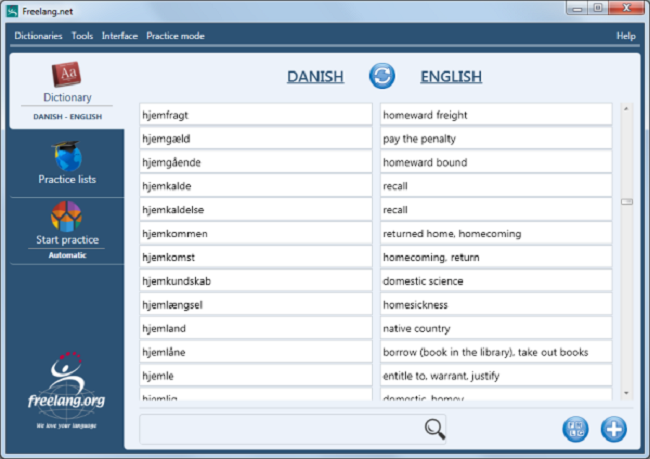
The Freelang Dictionary is an offline dictionary software. You download the program once, then you can add as many wordlists as you wish. Basically a wordlist is made of two columns, one language in each: Spanish-English, German-French, and so on. We have most of the main languages spoken, as well as many regional languages, and rare or endangered languages. You can easily switch from one language to another, or switch between several dictionaries. Hundreds of wordlists are available on our websites to download for free, mostly from/to English, from/to French and from/to Spanish. Once you have installed a wordlist, you can either browse it, or look up a word by typing its first letters. The lists are stored on your PC (or phone), so you don't need an Internet connection. You can also add words to the lists, delete some entries, modify existing entries, or create your own wordlists from scratch. If you created a new dictionary or if you updated an existing one, make sure you use the 'Tools/Send an update to Freelang' menu, so we can publish your work! Your name will be mentioned (unless you instruct us otherwise) and you will retain full copyright. The Freelang Dictionary also enables you to create personal practice lists, to practise your vocabulary. Just choose words from the main wordlist (manually or randomly) and they will be added to your practice list. If the 'automatic' option is on, the word will be displayed and then its translation, after a short delay, whereas in interactive mode, you have to type the translation yourself. You are not limited to one practice list, as you can manage several. The sound is also a powerful feature of our dictionary: you can record the entries or have them recorded, then play them. A few dictionaries have already been recorded and the sounds can be downloaded for free. Finally, you can customize the interface by choosing another colour, changing the logo or even translating the menus in your own language.



 Windows 7 and above
 View Screenshots(1)
 Comments
 Download




 Similar Software


 Recently Searched
 Software Categories
 Trending Software


 Like Us

