Works on: Windows 10 | Windows 8.1 | Windows 8 | Windows 7 | Windows XP | Windows 2000 | Windows 2003 | Windows 2008 | Windows Vista | Windows 2012 SHA1 Hash: 8fcc30739397c55603363d5f6dab98bb27b73c8f Size: 3.55 MB File Format: rar
Rating: 2.3
out of 5
based on 23 user ratings
Publisher Website: External Link Downloads: 209 License: Demo / Trial Version
Google Terrain Superget is a demo software by Arceyes and works on Windows 10, Windows 8.1, Windows 8, Windows 7, Windows XP, Windows 2000, Windows 2003, Windows 2008, Windows Vista, Windows 2012.
You can download Google Terrain Superget which is 3.55 MB in size and belongs to the software category Download Managers. Google Terrain Superget was released on 2011-07-11 and last updated on our database on 2017-04-17 and is currently at version 5.19.
Thank you for downloading from SoftPaz! Your download should start any moment now. It would be great if you could rate and share:
Rate this software:
Share in your network:
Google Terrain Superget Description
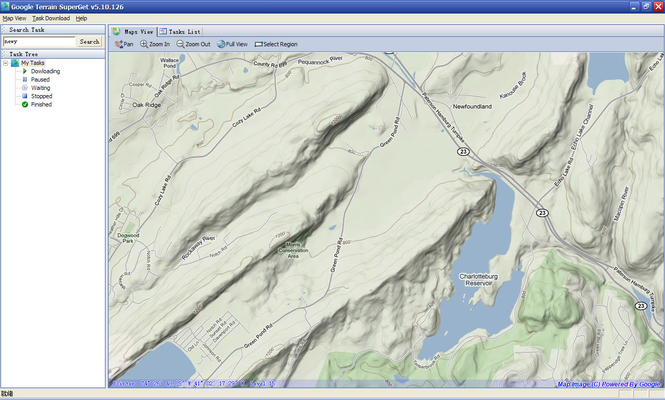
Google Terrain Super is a smart tool which can help you download tile satellite images from google map fastly and stably.It can stitch tile images into one big seamless image:Software can stitch tile images into one big seamless image such as GeoTIFF and GeoJPEG. But if the exported image can not be opened due to the big size, you can choose 'mosaic to multi-big images.Provide coordinate based locating:You can enter coordinates in the query such as '104.073653, 30.661714' and click 'Search' button to view corresponding location. Different from Google Earth coordinates, here we input longitude values in the former, the latitude value next.Provide downloading progress monitor:Software provides a window monitoring the downloading progress. When you select a downloading task, this window will display the current downloading situation. One point in the viewer represents a 256 x 256 image, including the 'gray block which stands for not downloaded; 'red block' standing for failed-downloaded; "green block " standing for successful-downloaded.Provide downloading results check:Software provide window for browsing downloading results. In this window, you can check the downloading results; You can export tile images into one big image through the 'Export|Mosaic to images' tab.Support creating new task digitally:Support creating new task digitally. Click on 'Download Task List' tab to switch to the task list, and in the toolbar, click 'New Task', you can download images by entering the required range of lower left corner and upper right coordinates to Create new download task.Support multi-threaded high-speed downloading:Software supports multi-threaded downloading, the Default open ten thread for each task to Improve the download speed. The number of threads is not available for the user to custom for the time being.
Where to buy?
Last updated price and discount information 9 years agoupdate now



 Windows XP and above
 View Screenshots(2)
 Comments
 Download






 Similar Software


 Recently Searched
 Software Categories
 Trending Software

 Like Us


