Works on: Windows 10 | Windows 8.1 | Windows 8 | Windows 7 | Windows 2012 SHA1 Hash: 47926362e42937384be63d64a885e501ec878dad Size: 11.76 MB File Format: exe
Rating: 2.3
out of 5
based on 23 user ratings
Publisher Website: External Link Downloads: 154 License: Demo / Trial Version
HeyeLighter Personal Edition is a demo software by Aureosoft and works on Windows 10, Windows 8.1, Windows 8, Windows 7, Windows 2012.
You can download HeyeLighter Personal Edition which is 11.76 MB in size and belongs to the software category Sales and Marketing Software. HeyeLighter Personal Edition was released on 2010-12-17 and last updated on our database on 2017-03-07 and is currently at version 1.
Thank you for downloading from SoftPaz! Your download should start any moment now. It would be great if you could rate and share:
Rate this software:
Share in your network:
HeyeLighter Personal Edition Description
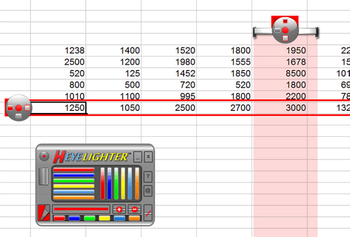
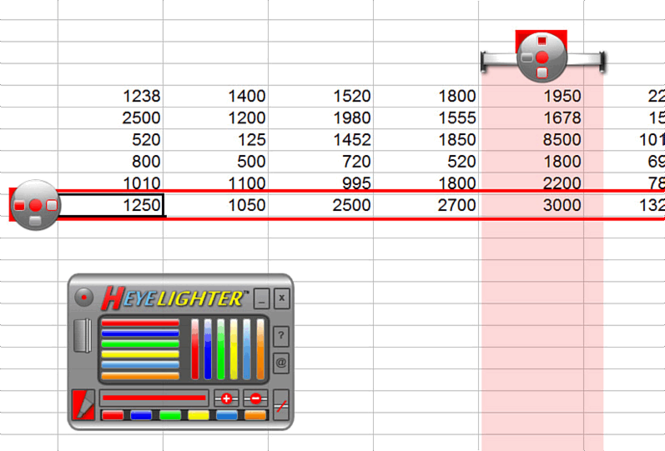
HeyeLighter is an on-screen marker and annotation software that facilitates the analysis and completion of spreadsheets, charts and tables, as well as the reading of texts directly on the computer screen. HeyeLighter uses horizontal and vertical dynamic markers that make analyzing and filling out spreadsheets both more professional and enjoyable. Each marker has an aureodisc on one of its terminal regions. The aureodisc serves both as a handle and as a control panel for the marker. Each dynamic marker (vertical and/or horizontal) has 3 buttons on the aureodisc interface. Those buttons activate distinct marking styles or modes: simple line mode, heyelight mode and spaced line mode. The markers are available in six colors: red, blue, green, yellow, light blue and orange. The user can choose many vertical and horizontal markers in different colors at the same time. HeyeLighter has a reading line resource that can be activated to follow the mouse path and serve as a guidance for entering or reading data on a spreadsheet. The length of the reading line can be increased or decreased appropriately. You can change the color of the reading line and choose from six basic colors. HeyeLighter has a marker pen tool that can draw and write on-screen in real time. HeyeLighter is a friendly application that can be used by people of all age groups and professions. Nevertheless, it represents a very helpful tool mainly for people that work in accounting, business management, entrepreneurship education and scientific training. HeyeLighter can also be easily used in web conferences and webinars with desktop sharing.
Where to buy?
Last updated price and discount information 9 years agoupdate now



 Windows 7 and above
 View Screenshots(3)
 Comments
 Download





 Similar Software


 Recently Searched
 Software Categories
 Trending Software

 Like Us

