Version: 1 Last Updated: 22 Apr 2017 Release: 27 May 2010 Category: Desktop Enhancements
Rate this software:
225 downloads
View Screenshots(1)
Comments
Download
Liked it? Tell others:
Hi-Tech Diary Details
Works on: Windows 10 | Windows 8.1 | Windows 8 | Windows 7 | Windows XP | Windows 2000 | Windows 2003 | Windows 2008 | Windows Vista | Windows 2012 SHA1 Hash: c5057742c884512f0f2ac4f5381a724a9213bba1 Size: 848.09 KB File Format: exe
Rating: 2.4
out of 5
based on 23 user ratings
Publisher Website: External Link Downloads: 225 License: Demo / Trial Version
Hi-Tech Diary is a demo software by HiTechDiary and works on Windows 10, Windows 8.1, Windows 8, Windows 7, Windows XP, Windows 2000, Windows 2003, Windows 2008, Windows Vista, Windows 2012.
You can download Hi-Tech Diary which is 848.09 KB in size and belongs to the software category Desktop Enhancements. Hi-Tech Diary was released on 2010-05-27 and last updated on our database on 2017-04-22 and is currently at version 1.
Thank you for downloading from SoftPaz! Your download should start any moment now. It would be great if you could rate and share:
Rate this software:
Share in your network:
Hi-Tech Diary Description
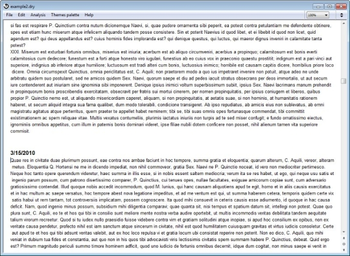
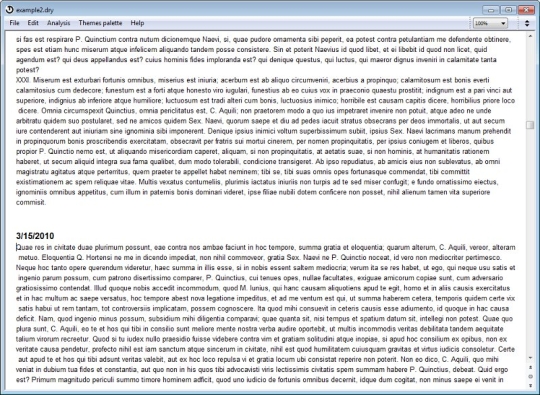
Hi-Tech Diary is a program for diary keeping. This program only needs to be downloaded once from our Internet Web site and is then installed on a Personal computer for permanent use. Hi-Tech Diary accommodates texts of any size, preserves them safely and will serve you well for many years. Hi-Tech Diary may be kept at any pace, and one may even create and keep several parallel diaries. You can always see where you finished off your last session since the diary is always reopened on the last page you were working on before closing the program. Texts are presented in easy to read size and uninterruptedly follow each other. This saves time, frees one from annoying clicking on the dates in the calendar when one needs to look at preceding text, and represents a substantial advantage of this program. Moreover, this program has two calendars which can be used to navigate through the text as is usually the case with computerized diaries. Using the Hi-Tech Diary you may analyze texts and view the chronological sequence of selected events. In order to do this, with the help of the "Thematic Palette" you create themes of interest which will be used in the analysis, and then mark the text fragments by using colors you have assigned to each theme. The relative chronology of thematically selected text fragments is automatically reflected in the results of the analysis. In this way, Hi-Tech Diary allows you not only to work on the contents of the diary but also on the sequences of particular events. Using this program you can discover trends, hidden connections between particular phenomena, and, in general, make unexpected discoveries.
Where to buy?
Last updated price and discount information 9 years agoupdate now



 Windows XP and above
 View Screenshots(1)
 Comments
 Download





 Similar Software


 Recently Searched
 Software Categories
 Trending Software

 Like Us
